CrazyGL
Command Center Stage
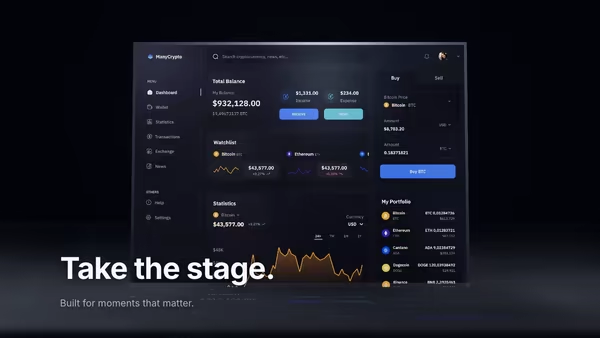
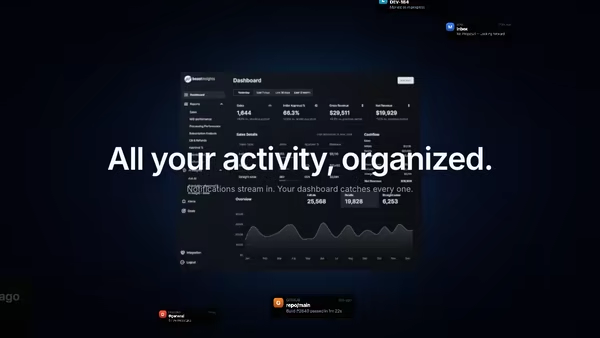
Your product UI floats as a giant screen at the centre of a dark 3D command room, smaller procedural panels orbit around it, and volumetric spotlights sweep through floor fog while a slow camera dolly breathes life into the scene.
Usage
import CommandCenter from '@crazygl/hero-command-center';

export default function Hero() {
  return (
    <CommandCenter
      screenshot="https://example.com/dashboard.avif"
      panel1Image="https://example.com/phone-a.avif"
      spotColor="#a8c0ff"
      fogDensity={0.7}
    />
  );
}
Customise
- Screenshot —
screenshot(the giant central screen) plusscreenshotX/Y,screenshotScale,screenshotTilt,screenEmissive. - Panels — up to six orbiting image panels (
panel1Image…panel6Image); blank ones are hidden.panelSpreadcontrols orbit distance. - Lighting —
spotIntensity,spotSweepSpeed,spotColorfor the volumetric beams. - Atmosphere —
fogDensity,fogColor,bloomStrength. - Camera —
dollyAmplitude,dollyPeriod,parallaxStrength. - Background —
bgColor,transparentBackground.
Best for
- Security, observability, and devops monitoring dashboards.
- Business-intelligence and analytics platforms.
- Enterprise "war-room" / control-room product pitches where the UI is the situation board.
One command, zero config.
npm install @crazygl/hero-command-centerImport once, drop it in.
The component takes the same props you see in the live customizer on the right — every default ships poster-quality.
import CommandCenterStage from '@crazygl/hero-command-center';

export default function Landing() {
  return (
    <CommandCenterStage />
  );
}SSR-safe by default.
The wrapper renders static HTML on the server and only initialises the canvas after hydration, so search engines see your copy.
// app/page.tsx — works in SSR-first frameworks (Next, Remix, Astro, etc.)
'use client';

import CommandCenterStage from '@crazygl/hero-command-center';

export default function Page() {
  return (
    <section>
      <CommandCenterStage
        heading="Say hi."
        subheading="Your new hero."
      />
      <article>
        <h2>Welcome</h2>
        <p>Your content keeps its own voice below the hero.</p>
      </article>
    </section>
  );
}