CrazyGL
ASCII Video Displacement
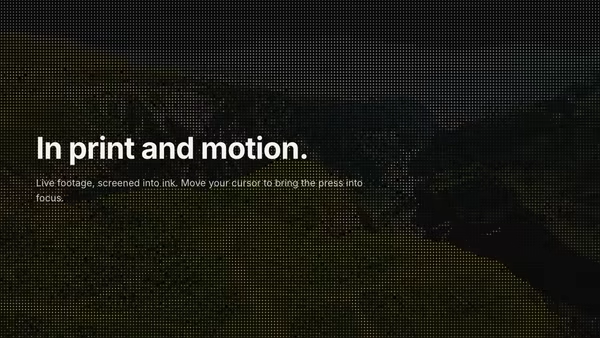
A looping video converted live into ASCII art — each cell's brightness picks a glyph from a long density ramp so the moving footage reads as live ASCII. The pointer is a clarity lens: under the cursor the cells resolve into the real, sharp footage, so the image reads genuinely clearer exactly where you point.
Usage
import AsciiVideoDisplace from '@crazygl/hero-ascii-video-displace';

export default function Hero() {
  return (
    <AsciiVideoDisplace
      videoSrc="https://crazygl.com/samples/drone-1.mp4"
      heading="Reality, rendered."
      cellSize={9}
      clarity={0.8}
    />
  );
}
Customise
- Content —
contentType(heading / two-columns / custom) plusheading,subheading, or column nodes. - Video —
videoSrc(looping MP4/WebM),cellSize(character cell width),invert(flip brightness→glyph mapping),lumaBoost(gamma on glyph selection only). - Color —
mode(mono vs video-tint),glyphColor,backgroundColor. - Focus —
clarity(how strongly the lens resolves real footage),lensRadius(focal size). - Backdrop —
transparentto composite over your own page background.
Best for
- Technical / developer-tooling and AI / data product landing pages that want a "computational" texture.
- Creative-studio and motion portfolios.
- Brands wanting a screen-free way to show real footage with a tactile, terminal feel.
One command, zero config.
npm install @crazygl/hero-ascii-video-displaceImport once, drop it in.
The component takes the same props you see in the live customizer on the right — every default ships poster-quality.
import ASCIIVideoDisplacement from '@crazygl/hero-ascii-video-displace';

export default function Landing() {
  return (
    <ASCIIVideoDisplacement />
  );
}SSR-safe by default.
The wrapper renders static HTML on the server and only initialises the canvas after hydration, so search engines see your copy.
// app/page.tsx — works in SSR-first frameworks (Next, Remix, Astro, etc.)
'use client';

import ASCIIVideoDisplacement from '@crazygl/hero-ascii-video-displace';

export default function Page() {
  return (
    <section>
      <ASCIIVideoDisplacement
        heading="Say hi."
        subheading="Your new hero."
      />
      <article>
        <h2>Welcome</h2>
        <p>Your content keeps its own voice below the hero.</p>
      </article>
    </section>
  );
}