CrazyGLCrazyGLHomeExploreGitHubBrowse heroesLoading hero…← Back to gallery@crazygl/ai-video-portal

AI Video Generation Portal

A floating prompt card streams a current of energy particles across to a glowing portal ring, through which the generated video or image materializes with a shimmer-dissolve reveal.

ReactWebGLImageInteractiveFont#ai#video#portal#particles#generative#webgl#shader#creative#premium

Usage

import AIVideoGenerationPortal from '@crazygl/hero-ai-video-portal';

export default function Page() {
  return (
    <AIVideoGenerationPortal
      heading="Type it. Watch it generate."
      generatedMedia="https://crazygl.com/samples/drone-2.mp4"
      revealStyle="dissolve"
      portalColor="#5ad0ff"
      accentColor="#c08bff"
    />
  );
}

Customise

  • Contentheading / subheading, or switch contentType to two-columns / custom node content; cardSide puts the prompt card left or right (the portal sits opposite).
  • Prompt CardcardTitle, promptText, promptModel badge, generateLabel.
  • Generated MediageneratedMedia (image or video URL), revealStyle (dissolve / iris / scanline), revealCycle seconds per develop loop.
  • PortalportalRadius, portalColor, accentColor, glow, swirlSpeed.
  • Particle StreamparticleDensity, particleSpeed.
  • AtmospherebgTop, bgBottom, transparentBackground.

Best for

  • AI productivity and generative-media tools (text-to-video, text-to-image)
  • Creative SaaS launch pages and model showcases
  • Developer-platform and API landing pages for generation endpoints
  • Premium product pages that dramatize "input becomes output"
01 · Install the package

One command, zero config.

npm install @crazygl/hero-ai-video-portal
02 · Render the component

Import once, drop it in.

The component takes the same props you see in the live customizer on the right — every default ships poster-quality.

hero.tsx
import AIVideoGenerationPortal from '@crazygl/hero-ai-video-portal';

export default function Landing() {
  return (
    <AIVideoGenerationPortal />
  );
}
03 · Use it in a page

SSR-safe by default.

The wrapper renders static HTML on the server and only initialises the canvas after hydration, so search engines see your copy.

page.tsx
// app/page.tsx — works in SSR-first frameworks (Next, Remix, Astro, etc.)
'use client';

import AIVideoGenerationPortal from '@crazygl/hero-ai-video-portal';

export default function Page() {
  return (
    <section>
      <AIVideoGenerationPortal
        heading="Say hi."
        subheading="Your new hero."
      />
      <article>
        <h2>Welcome</h2>
        <p>Your content keeps its own voice below the hero.</p>
      </article>
    </section>
  );
}

You might also like

Similar heroes

Typography In Portal

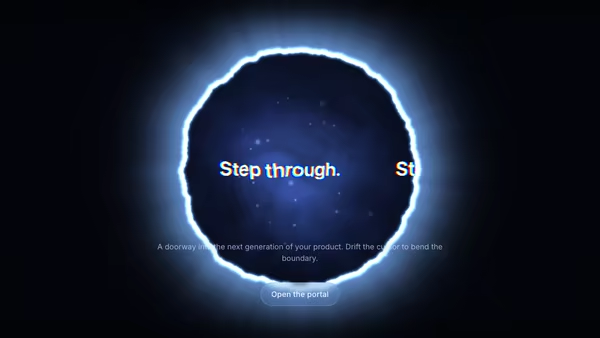
Your headline rendered inside a glowing circular portal — text drifts across the opening, the rim glows and ripples with noise, and the pointer bends the portal in real time. Built as a single fullscreen WebGL shader that samples a canvas-rendered text texture with chromatic aberration.

AI Console Portal

A glowing torus portal opens onto an AI console screenshot stepping forward into the scene, surrounded by orbiting prompt and output cards and a stream of particles slipping past the ring toward the camera.

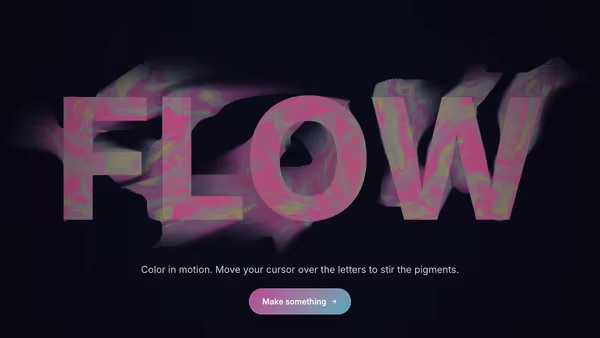
Typographic Fluid Simulation

A bold headline acts as a mask for a real-time colorful fluid. Domain-warped FBM noise advected over time + a pointer-driven velocity grid swirl two color fields inside the type while the background stays minimal. Move the cursor to inject velocity and color into the letters.

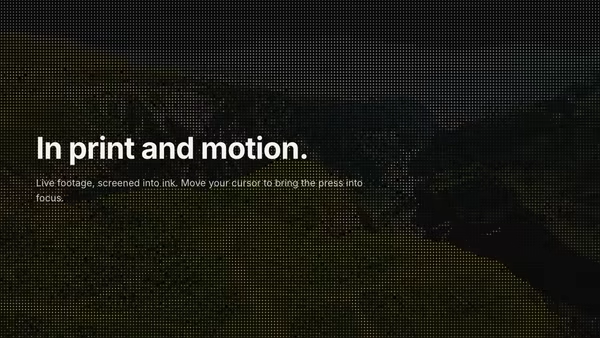
Halftone Video

A looping video rendered as a living halftone print — a grid of ink dots whose size tracks the footage's local brightness, so the moving image reads as a newspaper press plate that's somehow in motion. The pointer is a clarity lens: under the cursor the screen resolves finer and the raw footage sharpens through, so the image reads clearer exactly where you point. Bold, editorial, premium.

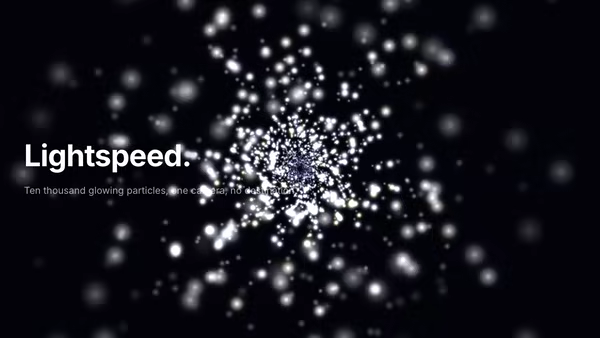
Galaxy Tunnel

A cinematic flythrough — thousands of glowing particles streaming past a virtual camera with velocity trails, bloom, and chromatic vignette.

Thermal Logo

Your logo rendered as a live thermal-camera image — a flowing heat field clipped to the silhouette and mapped through a cold-to-white-hot gradient, with the cursor leaving a glowing heat trail that slowly cools.
Live customizer

AI Video Generation Portal

Card SideWhich side the prompt card floats on. The portal always sits opposite.Card TitlePrompt TextThe editable sample prompt shown in the floating card. This is the 'text' in 'text becomes video.'Model BadgeSmall badge in the card header, e.g. a model name or version.Generate Button LabelGenerated MediaThe output revealed through the portal. An image (JPG/PNG/WebP/AVIF) or a video URL (.mp4/.webm). Video loops muted; the still image is shimmered so it still looks alive.Reveal StyleHow the media materializes inside the portal disc.Reveal Cycle7sSeconds for one develop loop. Below ~4s feels frantic; 6-9s is the sweet spot.Portal Size0.3Ring radius relative to canvas height. 0.28-0.34 is the photogenic range.Portal ColorRing lip + swirling interior energy color.Accent ColorParticle stream + shimmer-edge accent.Glow Intensity1Master brightness of ring, stream, and ambience. Above ~1.6 starts to bloom out.Swirl Speed0.6HzSpeed of the interior vortex energy. 0 = static field.Particle Density0.6How many particles ride the prompt-to-portal stream. 0 = no stream.Stream Speed0.35HzFlow speed of particles along the curve from card to portal.Background TopBackground BottomTransparent BackgroundDrop the backdrop so the portal, stream and card composite over whatever sits behind the hero.InteractivityWhich input drives the hero — try Scroll if you want the page to drive motion.
CrazyGL · crazygl.comProgrammable hero sections for real websites.