CrazyGLCrazyGLHomeExploreGitHubBrowse heroesLoading hero…← Back to gallery@crazygl/artwork-lens

Artwork Lens

A clear glass DOME — a magnifying loupe / plano-convex lens — glides over a vibrant artwork with your heading composited on top. By default the artwork is an animated domain-warped colour field; supply your own image or video instead (cover-fit, never stretched). Beneath the lens everything is magnified UPRIGHT (not flipped like a glass marble), like a loupe sitting on the page: the centre magnifies cleanly, straight features curve more toward the rim, red/cyan chromatic fringing grows toward the edge, a Fresnel ring traces the rim and a specular hotspot sits upper-left. Because the heading is part of the scene, it reads normally outside the lens and is magnified, gently bent and chromatically split where the lens passes over it.

ReactWebGLImageInteractiveFont#glass#lens#refraction#magnify#chromatic#artwork#gradient#shader#pointer#premium

Usage

import ArtworkLens from '@crazygl/hero-artwork-lens';

export default function Hero() {
  return (
    <ArtworkLens
      heading="Look closer."
      subheading="A glass lens glides across the artwork, magnifying and bending every colour beneath it."
      magnification={1.6}
      dispersion={0.6}
    />
  );
}

Customise

  • Contentheading, subheading (rasterised into the scene so the lens can magnify them).
  • ArtworkartworkImage (image OR video, cover-fit); procedural palette colorA/colorB/colorC and artworkSpeed when no media is supplied.
  • LenslensRadius, magnification (centre zoom), refraction (dome curvature / rim bend), dispersion (chromatic fringing), rimBrightness (Fresnel rim + specular glint).
  • Backdroptransparent to keep only the glass over whatever sits behind the hero.

Best for

  • Design studios, galleries, photography and product brands.
  • Editorial and luxury landing pages wanting one tactile, premium optical gesture.
  • Product launches over a colourful field, photo or looping video.
01 · Install the package

One command, zero config.

npm install @crazygl/hero-artwork-lens
02 · Render the component

Import once, drop it in.

The component takes the same props you see in the live customizer on the right — every default ships poster-quality.

hero.tsx
import ArtworkLens from '@crazygl/hero-artwork-lens';

export default function Landing() {
  return (
    <ArtworkLens />
  );
}
03 · Use it in a page

SSR-safe by default.

The wrapper renders static HTML on the server and only initialises the canvas after hydration, so search engines see your copy.

page.tsx
// app/page.tsx — works in SSR-first frameworks (Next, Remix, Astro, etc.)
'use client';

import ArtworkLens from '@crazygl/hero-artwork-lens';

export default function Page() {
  return (
    <section>
      <ArtworkLens
        heading="Say hi."
        subheading="Your new hero."
      />
      <article>
        <h2>Welcome</h2>
        <p>Your content keeps its own voice below the hero.</p>
      </article>
    </section>
  );
}
You might also like

Similar heroes

SDF Lens Blur

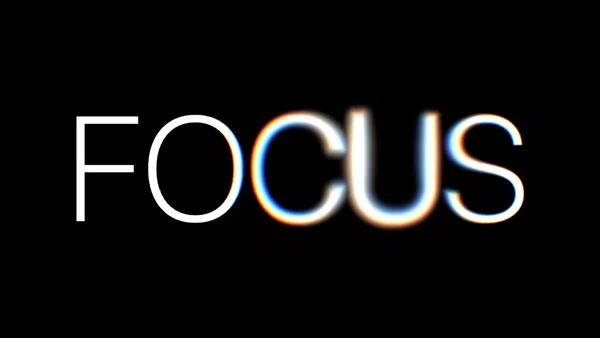
A single heading word, rasterised to a true signed distance field and rendered in WebGL. Where the cursor hovers, the letters dissolve into a soft luminous bokeh — a variable-radius radial blur kernel sampled in distance space, with optional chromatic aberration. Move the cursor across the word to smear it into a beam of light; move away and it snaps back to a razor-sharp typeface.

Glass Panels

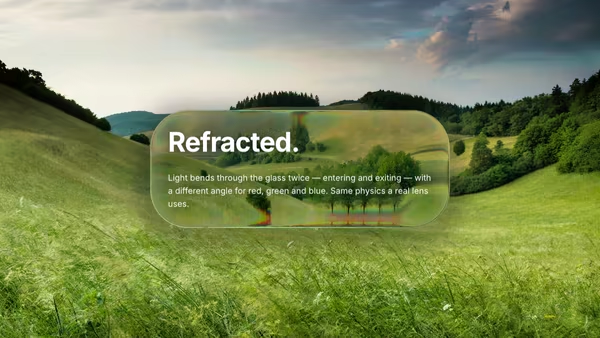
Liquid-glass panels in WebGL — half-sphere bevel, biconvex refraction (entry + exit + thickness), edge-weighted blur mix, multi-light Blinn-Phong specular, Fresnel rim, drop shadow. Drop in any background image and it gets bent through the glass.

Slow Glitch Fabric

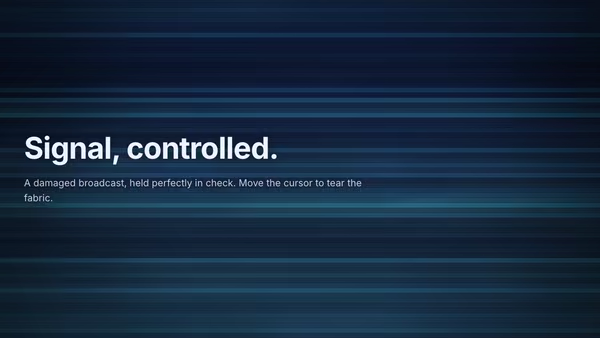
An elegant, controlled digital-signal background: deep moody bands drift like a damaged broadcast, always carrying a tasteful base glitch — blocky horizontal tears and red/cyan channel splits. Move the cursor and the glitch concentrates around its position, intensifying the tears and chromatic split right where you point, then eases back out when you leave.

Rain on Glass

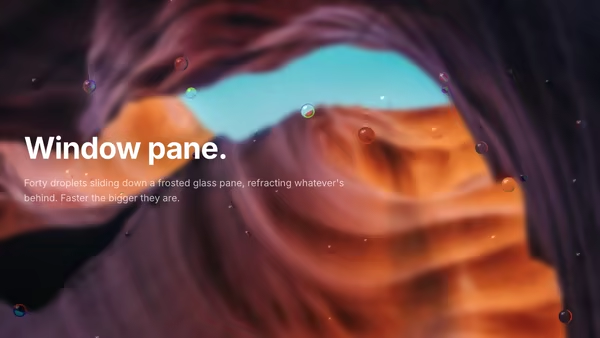
Looking through a glass pane in the rain — droplets refract the background, slide down with gravity, and leave thin trails.

Reactive Gradient Silk

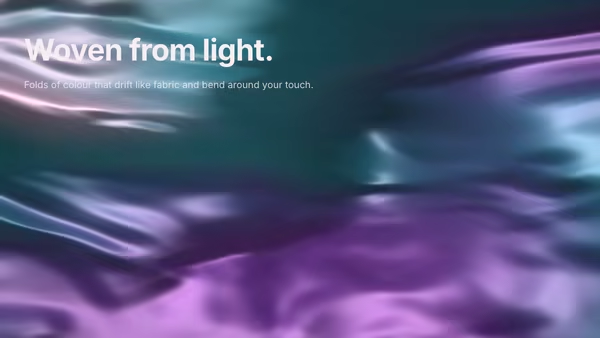
A background of folded silk made of light — very smooth gradients with broad flowing folds drifting in slow, elegant fabric motion. The folds carry deep desaturated jewel tones and catch a soft specular sheen along each crease. The pointer presses a gentle indentation into the cloth: the folds bend around the cursor and the highlights and shadows shift with it.

Typography Through Rainy Glass

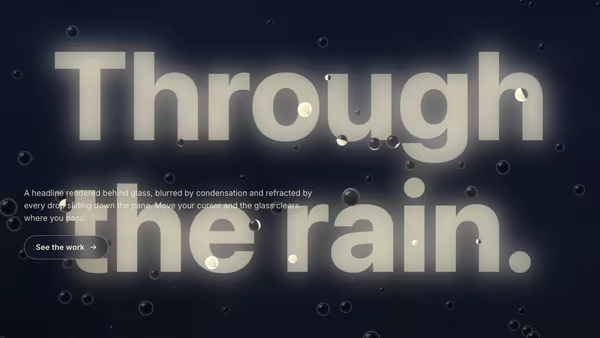
A large bright headline sits behind a fogged glass pane covered in sliding water droplets. The drops refract the type; the cursor wipes a clear arc as you move.
Live customizer

Artwork Lens

Artwork (image or video)Optional image OR video (MP4/WebM) to use as the artwork — cover-fit, never stretched. A video auto-loops, muted, and its current frame is magnified by the lens every frame. Leave empty to render the animated procedural gradient. If a video can't load, the procedural gradient shows instead.Colour AFirst colour of the procedural artwork palette.Colour BColour CArtwork speed0.5Flow speed of the animated procedural artwork. 0 freezes it.Lens radius0.22Radius of the glass lens, in fragUV units (1.0 ≈ canvas short edge).Magnification1.6How much the loupe enlarges the artwork beneath it, upright. 1 = flat (no zoom); higher = stronger, cleaner centre magnification.Refraction (bend)0.31Dome curvature of the glass. 0 = a flat magnifying disc; higher bends straight features more toward the rim (the fat shoulder of a plano-convex lens), always upright.Dispersion (chromatic)0.6Per-wavelength IOR spread — red and blue refract by different amounts, so red/cyan fringing appears and grows toward the rim where refraction is steepest.Rim brightness0.2Intensity of the Fresnel rim and specular highlight that sell the glass.Transparent backgroundRender the artwork outside the lens transparent, keeping only the glass over whatever sits behind the hero.InteractivityWhich input drives the hero — try Scroll if you want the page to drive motion.
CrazyGL · crazygl.comProgrammable hero sections for real websites.