CrazyGLCrazyGLHomeExploreGitHubBrowse heroesLoading hero…← Back to gallery@crazygl/typography-in-portal

Typography In Portal

Your headline rendered inside a glowing circular portal — text drifts across the opening, the rim glows and ripples with noise, and the pointer bends the portal in real time. Built as a single fullscreen WebGL shader that samples a canvas-rendered text texture with chromatic aberration.

ReactWebGLInteractiveFont#typography#portal#headline#launch#ai#productivity#shader#webgl#futuristic#creator#premium

Usage

import TypographyInPortal from '@crazygl/hero-typography-in-portal';

export default function Page() {
  return (
    <TypographyInPortal
      heading="Step through."
      portalRadius={0.35}
      rimGlowColor="#7fb6ff"
    />
  );
}

Customise

  • Contentheading (drawn in the portal), subheading, ctaLabel, onCTAClick (URL or function).
  • PortalportalRadius, portalEdgeDistortion, portalEdgeAnimSpeed.
  • GlowrimGlowColor/rimGlowIntensity, innerGlowColor/innerGlowIntensity.
  • TexttextColor, textScale, textScrollSpeed (ticker drift), textChromaticAberration, textRepeatGap.
  • PointerpointerBend, pointerOffsetStrength (portal follows cursor).
  • Background & typebgColor, starDensity, headingFontFamily, headingFontWeight.

Best for

  • AI productivity tools and agent launch pages
  • Futuristic SaaS and developer-platform landing pages
  • Creator and product launches wanting a "step into the next thing" moment
  • Premium announcement or waitlist heroes
01 · Install the package

One command, zero config.

npm install @crazygl/hero-typography-in-portal
02 · Render the component

Import once, drop it in.

The component takes the same props you see in the live customizer on the right — every default ships poster-quality.

hero.tsx
import TypographyInPortal from '@crazygl/hero-typography-in-portal';

export default function Landing() {
  return (
    <TypographyInPortal />
  );
}
03 · Use it in a page

SSR-safe by default.

The wrapper renders static HTML on the server and only initialises the canvas after hydration, so search engines see your copy.

page.tsx
// app/page.tsx — works in SSR-first frameworks (Next, Remix, Astro, etc.)
'use client';

import TypographyInPortal from '@crazygl/hero-typography-in-portal';

export default function Page() {
  return (
    <section>
      <TypographyInPortal
        heading="Say hi."
        subheading="Your new hero."
      />
      <article>
        <h2>Welcome</h2>
        <p>Your content keeps its own voice below the hero.</p>
      </article>
    </section>
  );
}

You might also like

Similar heroes

AI Video Generation Portal

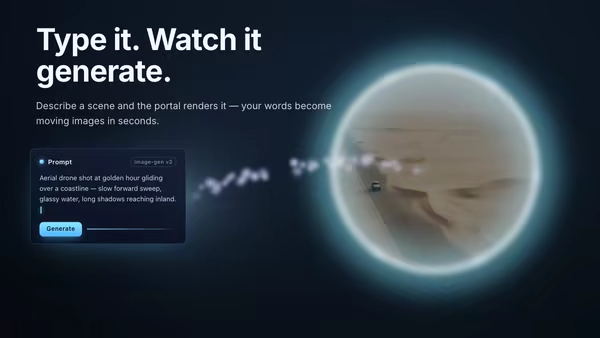
A floating prompt card streams a current of energy particles across to a glowing portal ring, through which the generated video or image materializes with a shimmer-dissolve reveal.

AI Console Portal

A glowing torus portal opens onto an AI console screenshot stepping forward into the scene, surrounded by orbiting prompt and output cards and a stream of particles slipping past the ring toward the camera.

Typographic Fluid Simulation

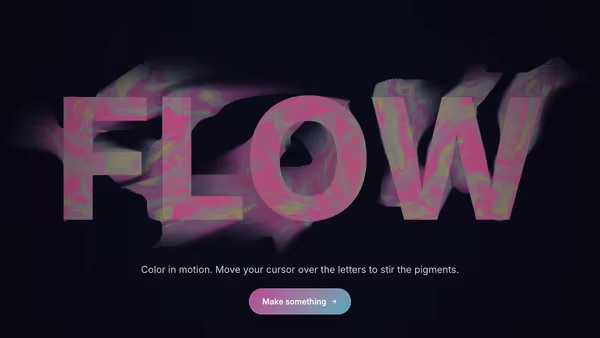
A bold headline acts as a mask for a real-time colorful fluid. Domain-warped FBM noise advected over time + a pointer-driven velocity grid swirl two color fields inside the type while the background stays minimal. Move the cursor to inject velocity and color into the letters.

Typographic Black Hole

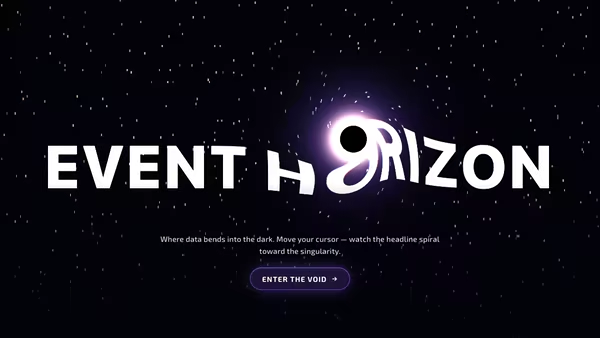
A headline warped by a glowing gravitational center. The cursor moves the singularity — letters bend, chromatic-aberrate, and pour toward the event horizon while a starfield lenses behind it.

Glass Typography

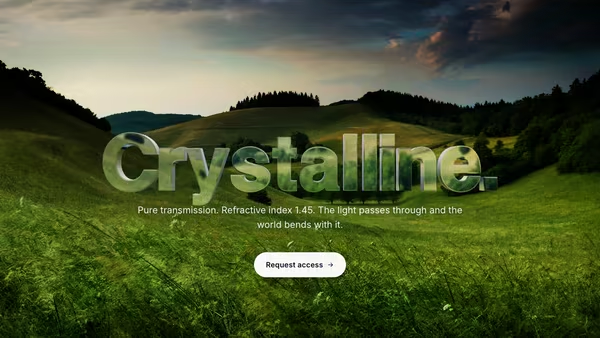
A headline cast in transparent optical glass: Three.js TextGeometry extruded into a real 3D object, rendered with MeshPhysicalMaterial (transmission, IOR, dispersion, clearcoat) so it visibly refracts the moving gradient behind it. Pointer parallax tilts the camera and CTA hover sweeps a bright edge highlight across the letters.

Neon Tube Typography

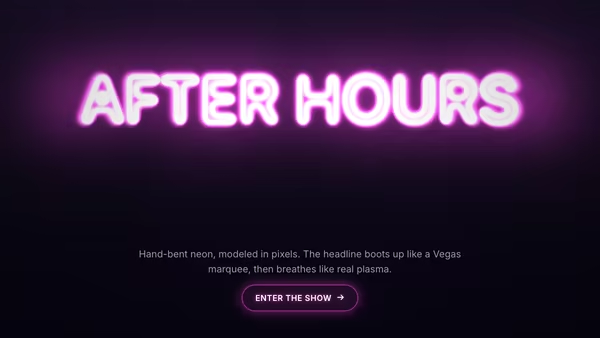
A glowing neon-tube headline that flickers on, settles into a slow plasma breath, sparks on hover, and bends its glow toward the cursor. Rendered to a HiDPI canvas with rounded tube strokes plus stacked blurred copies for true additive bloom.
Live customizer

Typography In Portal

Portal radius0.35Radius of the portal opening as a fraction of the canvas short side. 0.25 reads tight, 0.35 is the postcard sweet spot, 0.5 nearly fills the frame.Edge distortion0.04Amplitude of the noise that warps the portal rim. 0 = perfect circle; 0.04 = breathing organic edge; >0.07 starts to look turbulent.Edge animation speed1Rate at which the rim noise scrolls. 0 freezes the rim; ~1 is gentle; 2+ feels agitated.Rim glowColour of the bright ring at the portal boundary.Rim intensity1.6Strength of the emissive ring at the SDF boundary. 1.2–2.0 reads premium; above 2.4 blooms past the text.Inner glowColour bathing the inside of the portal, behind the text.Inner glow intensity0.7How much the inner glow fills the portal disc. 0.5–0.9 keeps text crisp; above 1.4 washes the headline.Text colourBase colour of the headline rendered into the portal.Text scale1.25Size of the headline glyphs inside the portal. ~1.25 fills the default aperture; drop toward 0.7 for a longer phrase, push to 2+ for a single short word.Text scroll speed1.4Horizontal drift of the word across the portal opening. 0 = framed and still; 0.5 = slow narrative drift; 1.4 = lively ticker (default); 2 = fast ticker.Chromatic aberration0.51Per-channel R/G/B offset on the inside-portal text — the sci-fi seam. Sweet spot 0.3–0.6; above 0.8 the letters split.Repeat gap0.4Empty space between successive copies of the heading as it scrolls, expressed as a fraction of the heading's texture width. 0 = repeats butt edge-to-edge; 0.4 = compact ticker spacing (default); 1 = one heading-width gap; 2 = sparse.Pointer bend1Directional warp of the rim and text driven by the cursor. 0 = no influence; 1 = gentle magnetic pull; 2 = pronounced.Portal follows cursor0.3How far the portal centre slides toward the cursor. 0 keeps it centred; 0.3 is the subtle premium default; 1 fully tracks.Background colourDeep base colour behind the portal.Star density0.6Density of the procedural starfield behind the portal. 0 = empty space; 0.6 = sparse sci-fi; 1 = thick galaxy backdrop.Heading fontFont used to rasterize the in-portal headline. Bold modern grotesks (Space Grotesk, Sora) and futuristic faces (Orbitron) work best. Default Space Grotesk; Inherit uses the page font.Heading weight700Weight of the in-portal heading and the HTML fallback.InteractivityWhich input drives the hero — try Scroll if you want the page to drive motion.
CrazyGL · crazygl.comProgrammable hero sections for real websites.