CrazyGL
Typographic Fluid Simulation
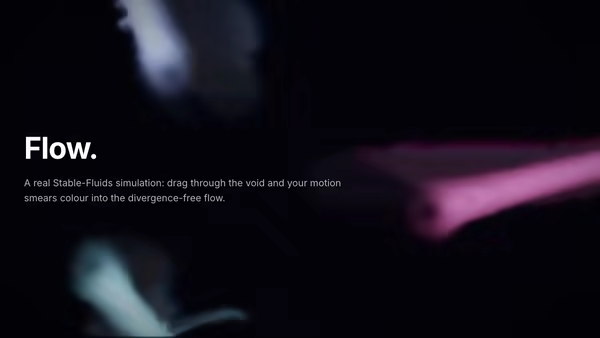
A bold headline acts as a mask for a real-time colorful fluid. Domain-warped FBM noise advected over time + a pointer-driven velocity grid swirl two color fields inside the type while the background stays minimal. Move the cursor to inject velocity and color into the letters.
Usage
import TypographicFluidSimulation from '@crazygl/hero-typographic-fluid-simulation';

export default function Page() {
  return (
    <TypographicFluidSimulation
      heading="FLOW"
      colorA="#ff5ec4"
      colorB="#5cf2ff"
    />
  );
}
Customise
- Content —
heading(acts as the fluid mask),subheading,ctaLabel,onCTAClick. - Fluid —
fluidScale,fluidSpeed,ambientSwirl,fluidViscosity. - Colors —
colorA,colorB,colorC(accent),backgroundColor. - Pointer —
pointerInjection,pointerColorShift. - Text —
textOpacity,bloomStrength(tendril glow). - Typography —
headingFontFamily(heavy sans with big counters),headingFontWeight.
Best for
- Creative-tool launches and generative-art portfolios.
- AI / SaaS heroes that want a personality moment.
- Music, audio, and magazine-tier editorial sites.
Short, bold words (3–8 letters) with large counters give the fluid the most room to swirl. Heavy sans serifs like Inter Tight 900, Sora, or Archivo Black are the sweet spot.
One command, zero config.
npm install @crazygl/hero-typographic-fluid-simulationImport once, drop it in.
The component takes the same props you see in the live customizer on the right — every default ships poster-quality.
import TypographicFluidSimulation from '@crazygl/hero-typographic-fluid-simulation';

export default function Landing() {
  return (
    <TypographicFluidSimulation />
  );
}SSR-safe by default.
The wrapper renders static HTML on the server and only initialises the canvas after hydration, so search engines see your copy.
// app/page.tsx — works in SSR-first frameworks (Next, Remix, Astro, etc.)
'use client';

import TypographicFluidSimulation from '@crazygl/hero-typographic-fluid-simulation';

export default function Page() {
  return (
    <section>
      <TypographicFluidSimulation
        heading="Say hi."
        subheading="Your new hero."
      />
      <article>
        <h2>Welcome</h2>
        <p>Your content keeps its own voice below the hero.</p>
      </article>
    </section>
  );
}