CrazyGLCrazyGLHomeExploreGitHubBrowse heroesLoading hero…← Back to gallery@crazygl/product-elemental-scene

Product in Elemental Scene

A 3D product floats inside a stylised elemental world chosen from its benefit — water, fire, ice, cloud, earth or light. A custom environmental shader and an instanced particle system surround the product and tint its lighting to match the element.

ReactWebGL3DImageInteractiveFont#3d#product#elemental#atmosphere#particles#shader#benefit#three

Usage

import ProductElementalScene from '@crazygl/hero-product-elemental-scene';

export default function Hero() {
	return (
		<ProductElementalScene
			element="water"
			model="https://crazygl.com/samples/camera.glb"
			heading="Drawn from the elements."
		/>
	);
}

Customise

  • Content — heading + subheading, two columns, or a custom node; copy auto-anchors to the side opposite the product.
  • Element & Atmosphereelement (water / fire / ice / cloud / earth / light), intensity, atmosphereSpeed, particleDensity, accentColor (overrides the element's signature hue everywhere).
  • Productmodel (GLB/GLTF), productScale, productYaw / productPitch (static three-quarter angle), floatAmp, positionX / positionY, parallaxStrength, plus material overrides (useGlbMaterials, productTint, productColor, productMetalness, productRoughness).
  • FloorshowFloor, floorColor (a soft non-reflective surface that melts into the atmosphere).
  • LightingenvironmentImage (equirectangular HDRI for IBL), envIntensity, exposure, keyLightIntensity.

Best for

  • Beauty, skincare, wellness and supplements.
  • Premium beverages, candles and fragrance.
  • Outdoor and performance gear — anywhere the benefit is a feeling rather than a spec.
01 · Install the package

One command, zero config.

npm install @crazygl/hero-product-elemental-scene
02 · Render the component

Import once, drop it in.

The component takes the same props you see in the live customizer on the right — every default ships poster-quality.

hero.tsx
import ProductInElementalScene from '@crazygl/hero-product-elemental-scene';

export default function Landing() {
  return (
    <ProductInElementalScene />
  );
}
03 · Use it in a page

SSR-safe by default.

The wrapper renders static HTML on the server and only initialises the canvas after hydration, so search engines see your copy.

page.tsx
// app/page.tsx — works in SSR-first frameworks (Next, Remix, Astro, etc.)
'use client';

import ProductInElementalScene from '@crazygl/hero-product-elemental-scene';

export default function Page() {
  return (
    <section>
      <ProductInElementalScene
        heading="Say hi."
        subheading="Your new hero."
      />
      <article>
        <h2>Welcome</h2>
        <p>Your content keeps its own voice below the hero.</p>
      </article>
    </section>
  );
}
You might also like

Similar heroes

Floating Product

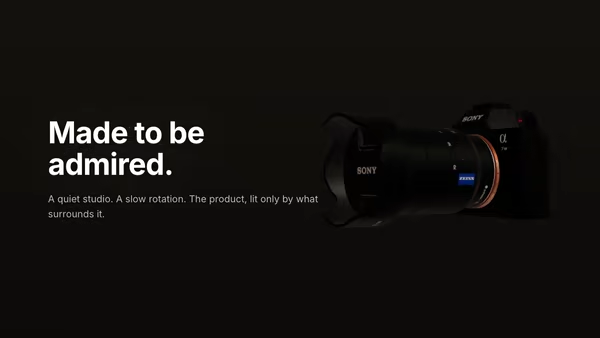
A 3D product model drifts and slowly turns in a quiet studio atmosphere. The model wears its own PBR textures; soft dust particles drift through the air around it.

Product Pedestal

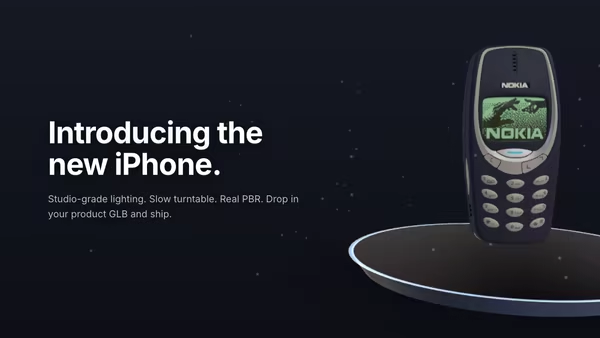
A 3D product model rests on a minimal floating pedestal under studio HDRI lighting. Slow turntable rotation, soft contact shadow, drifting dust, subtle mouse parallax, and press-and-drag to free-spin the product.

Product Turntable Studio

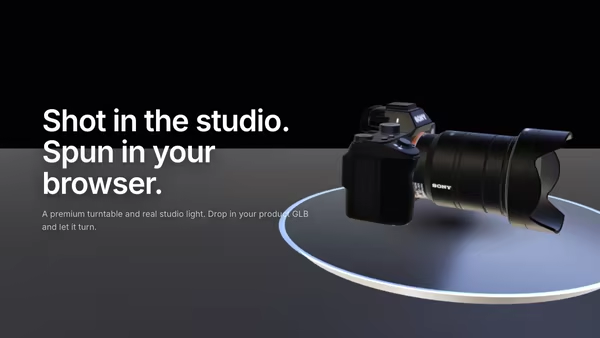
A 3D product model rotates on a premium polished turntable disc beside the hero copy. Studio HDRI lighting, warm key and cool fill softboxes, drag to free-spin, and pointer hover-zoom — a high-end product launch in code.

Scroll-to-Assemble Product

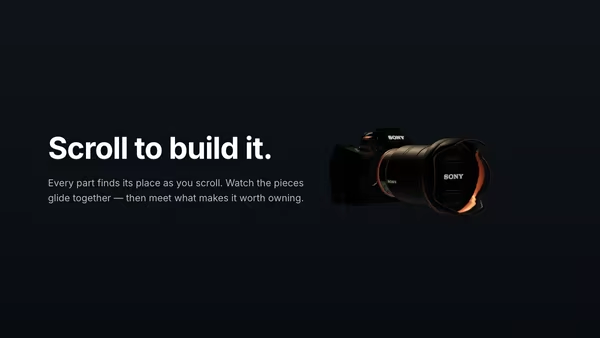
A 3D product begins disassembled and clicks together as you scroll the page. Once whole, the camera eases in and benefit labels fade in around it. Cinematic three-point studio lighting with HDRI reflections.

Floating Movie Scene

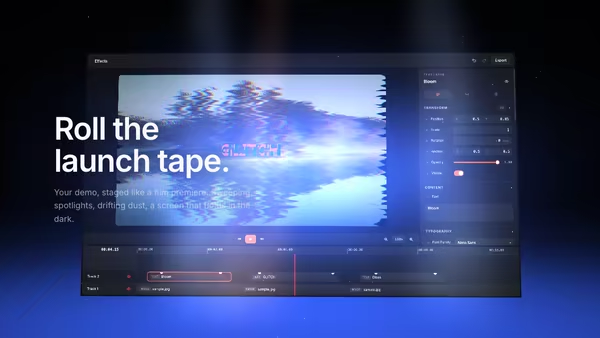
Your product demo presented like a launch trailer: a floating screen drifts on a dark 3D stage while volumetric spotlights sweep across it, dust hangs in the beams, and a soft reflection pools on the floor. Slow cinematic camera drift; scroll pushes the camera in.

Product in Liquid

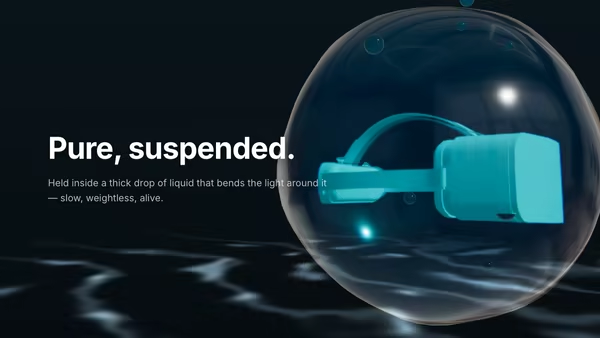
A product floats suspended inside a thick, slowly churning liquid blob that genuinely refracts it. Tinted glass, chromatic dispersion, drifting bubbles and crawling caustics give a sensual, premium feel.
Live customizer

Product in Elemental Scene

ElementThe benefit metaphor. Each option swaps the atmosphere shader, the particle palette and the colour the product reflects.Atmosphere intensity1Strength of the environmental shader behind the product. Below 0.5 reads as faint; above 1.6 starts to overwhelm the product.Atmosphere speed1How fast the element animates. 0 freezes it; sweet spot 0.7–1.3.Particle density1Embers / motes / frost / wisps surrounding the product. 0 hides them.Accent colourOverrides the element's signature colour for the atmosphere, particles and lighting tint. Leave blank to use the element's preset.Product Model (GLB/GLTF)Any GLB/GLTF. Its own authored PBR materials are kept by default.Product size1Product yaw28°Static turn around the vertical axis. A three-quarter angle (~28°) is the most flattering for most products.Product pitch-6°Tip the product toward (−) or away from (+) the camera.Float amount0.045Gentle vertical bob. Purely ambient — the product never spins.Horizontal position0.95Slide the product left/right so the heading copy can sit opposite. Positive pushes it right (heading anchors left); negative pushes it left.Vertical position0Parallax strength0.5How far the camera orbits toward the pointer. 0 locks the angle.Use model's own materialsOn: keep the GLB's authored PBR. Off: paint the product with the material controls below.Product tintMultiplies the model's base colour. White is a no-op.Show floorA subtle floor plane beneath the product.Floor toneStudio HDRIEquirectangular image driving the base IBL. The element re-tints it.Env intensity1Exposure1.15Key light intensity1.3The element tints the key light automatically; use Accent colour to override.InteractivityWhich input drives the hero — try Scroll if you want the page to drive motion.
CrazyGL · crazygl.comProgrammable hero sections for real websites.