CrazyGL
Floating Movie Scene
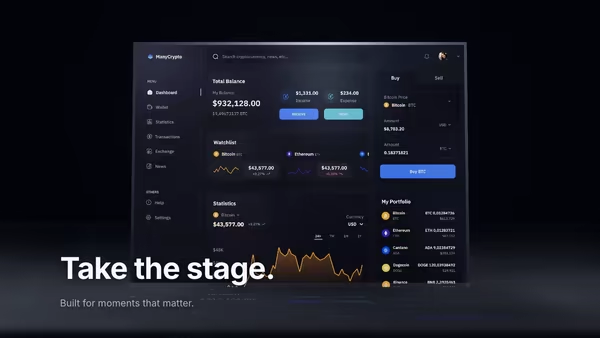
Your product demo presented like a launch trailer: a floating screen drifts on a dark 3D stage while volumetric spotlights sweep across it, dust hangs in the beams, and a soft reflection pools on the floor. Slow cinematic camera drift; scroll pushes the camera in.
Usage
import FloatingMovieScene from '@crazygl/hero-floating-movie-scene';

export default function Hero() {
  return (
    <FloatingMovieScene
      heading={'Roll the\nlaunch tape.'}
      screenMedia="https://crazygl.com/samples/screenshot-video-editor-dark.avif"
      spotCount={3}
    />
  );
}
Customise
- Screen —
screenMedia(image or video; aspect auto-derived),screenScale,screenX/screenY,screenTilt,screenEmissive. - Stage Lights —
spotCount(1–5),spotColor/spotColor2(two-tone wash),spotIntensity,spotWidth,sweepSpeed. - Atmosphere —
particleDensity(drifting dust),floorReflection,accentColor(glow + floor pool). - Camera —
cameraDrift,parallaxStrength,revealDuration. - Stage Tone —
bgTone,floorTone. Typography —headingFontFamily.
Best for
- Product launches and AI / video SaaS where the demo is the pitch.
- Creative agencies wanting a premiere instead of a thumbnail.
- Landing pages that want a cinematic 3D stage around a screenshot or product video.
One command, zero config.
npm install @crazygl/hero-floating-movie-sceneImport once, drop it in.
The component takes the same props you see in the live customizer on the right — every default ships poster-quality.
import FloatingMovieScene from '@crazygl/hero-floating-movie-scene';

export default function Landing() {
  return (
    <FloatingMovieScene />
  );
}SSR-safe by default.
The wrapper renders static HTML on the server and only initialises the canvas after hydration, so search engines see your copy.
// app/page.tsx — works in SSR-first frameworks (Next, Remix, Astro, etc.)
'use client';

import FloatingMovieScene from '@crazygl/hero-floating-movie-scene';

export default function Page() {
  return (
    <section>
      <FloatingMovieScene
        heading="Say hi."
        subheading="Your new hero."
      />
      <article>
        <h2>Welcome</h2>
        <p>Your content keeps its own voice below the hero.</p>
      </article>
    </section>
  );
}