CrazyGLCrazyGLHomeExploreGitHubBrowse heroesLoading hero…← Back to gallery@crazygl/product-in-liquid

Product in Liquid

A product floats suspended inside a thick, slowly churning liquid blob that genuinely refracts it. Tinted glass, chromatic dispersion, drifting bubbles and crawling caustics give a sensual, premium feel.

ReactWebGL3DImageInteractiveFont#3d#product#liquid#glass#refraction#transmission#bubbles#premium#three

Usage

import ProductInLiquid from '@crazygl/hero-product-in-liquid';

export default function Hero() {
  return (
    <ProductInLiquid
      productModel="https://example.com/bottle.glb"
      liquidColor="#00c2d6"
      liquidIOR={1.33}
    />
  );
}

Customise

  • Subject placementlayout (centered / content-left / content-right), positionX/Y, parallaxStrength.
  • ProductproductModel (GLB/GLTF), useGlbMaterials, productScale, productYaw, productPitch, and override colour/metalness/roughness.
  • LiquidliquidColor, liquidIOR, liquidThickness, liquidRoughness, liquidDispersion, absorptionDistance, blobSize.
  • Motion & surfaceturbulence, turbulenceScale, surfaceSpeed, bubbleCount/Speed/Size.
  • LightingenvironmentImage (HDRI), envIntensity, exposure, key/fill light colour + intensity.
  • ScenecausticIntensity, causticColor, bgTopColor, bgBottomColor.

Best for

  • Beauty, skincare, and fragrance product pages.
  • Premium drinks, bottled water, and supplement launches.
  • Luxury food and wellness brands.
  • Editorial product reveals where the object is the hero.
01 · Install the package

One command, zero config.

npm install @crazygl/hero-product-in-liquid
02 · Render the component

Import once, drop it in.

The component takes the same props you see in the live customizer on the right — every default ships poster-quality.

hero.tsx
import ProductInLiquid from '@crazygl/hero-product-in-liquid';

export default function Landing() {
  return (
    <ProductInLiquid />
  );
}
03 · Use it in a page

SSR-safe by default.

The wrapper renders static HTML on the server and only initialises the canvas after hydration, so search engines see your copy.

page.tsx
// app/page.tsx — works in SSR-first frameworks (Next, Remix, Astro, etc.)
'use client';

import ProductInLiquid from '@crazygl/hero-product-in-liquid';

export default function Page() {
  return (
    <section>
      <ProductInLiquid
        heading="Say hi."
        subheading="Your new hero."
      />
      <article>
        <h2>Welcome</h2>
        <p>Your content keeps its own voice below the hero.</p>
      </article>
    </section>
  );
}
You might also like

Similar heroes

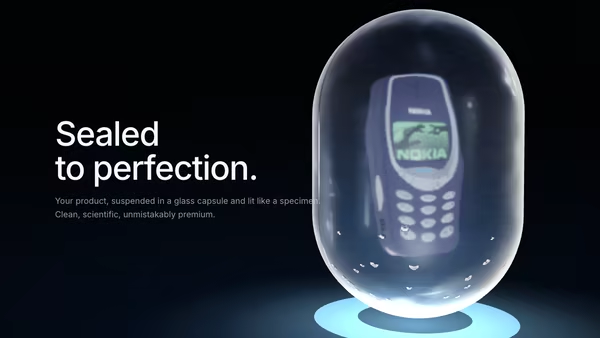
Product Inside a Glass Capsule

A product floats inside a transmissive glass capsule, like a luxury museum object or futuristic sample container — refraction through the shell, a frosted inner layer, a band of condensation, slow rotation and a soft pedestal glow.

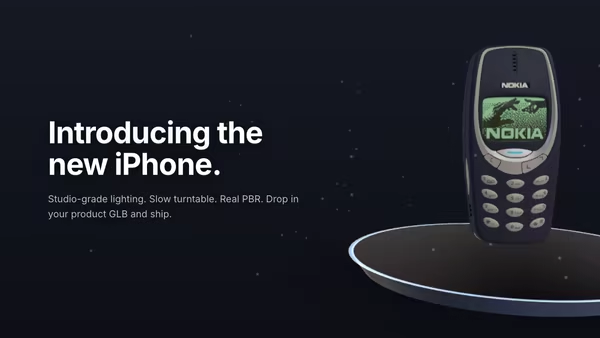
Product Pedestal

A 3D product model rests on a minimal floating pedestal under studio HDRI lighting. Slow turntable rotation, soft contact shadow, drifting dust, subtle mouse parallax, and press-and-drag to free-spin the product.

Floating Product

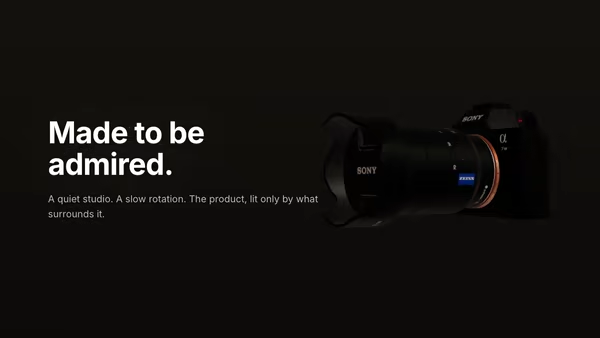
A 3D product model drifts and slowly turns in a quiet studio atmosphere. The model wears its own PBR textures; soft dust particles drift through the air around it.

Product Turntable Studio

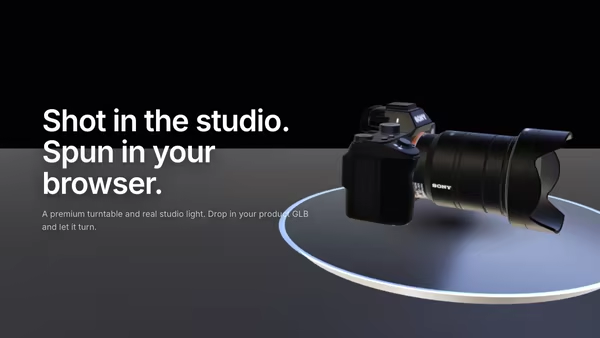
A 3D product model rotates on a premium polished turntable disc beside the hero copy. Studio HDRI lighting, warm key and cool fill softboxes, drag to free-spin, and pointer hover-zoom — a high-end product launch in code.

Product Exploded View

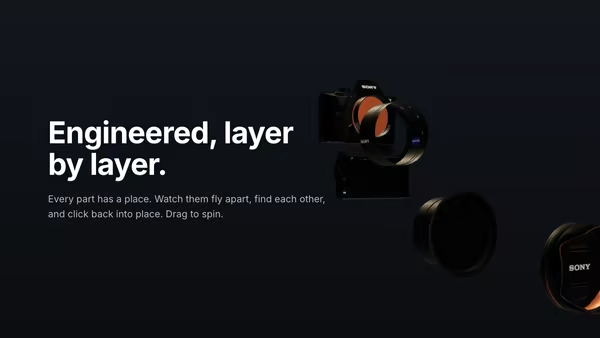
A 3D model splits into several floating layers on load, then slowly reassembles. Hovering separates the parts again — connector lines hint at the assembly path. Cinematic three-point studio lighting with HDRI reflections.

Product in Elemental Scene

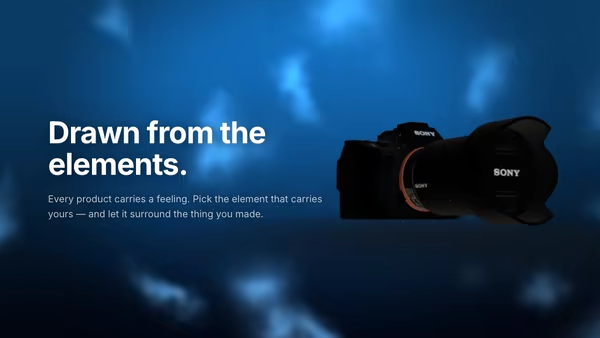
A 3D product floats inside a stylised elemental world chosen from its benefit — water, fire, ice, cloud, earth or light. A custom environmental shader and an instanced particle system surround the product and tint its lighting to match the element.
Live customizer

Product in Liquid

Subject sideWhere the liquid drop floats relative to the heading copy.Horizontal nudge0worldFine-tune the drop's X position on top of the side preset.Vertical nudge0worldPush the drop up (+) or down (-) within the frame.Parallax strength0.5How far the camera orbits with the pointer. 0 = locked, 1 = lively.Product (GLB / GLTF)Upload your own 3D product. The model's own materials and textures are used by default. Light, colourful products read best suspended in the liquid.Use model's own materialsOn = keep the GLB's authored PBR. Off = override with the colour/metal/rough sliders below.Product size1.25Scale the product inside the drop. Keep it comfortably enclosed for full refraction.Product yaw-34°Turn the product to its best angle. Static pose — no autonomous spin.Product pitch-6°Tip the product forward (-) or back (+).Liquid colourBrand-tint the medium. Drives both the glass colour and the Beer-Lambert absorption tint.Index of refraction1.291.33 = water, ~1.45 = oil, 1.5 = syrup/glass. Higher = stronger bending.Optical thickness0.5Path length light travels through the medium. Higher = more displacement + tint.Surface roughness0.060 = polished optical drop, higher = frosted / milky liquid.Chromatic dispersion1.4Per-channel rainbow split at the rim. 0 = none, 1–2 = tasteful prism edge.Tint depth0.4Beer-Lambert absorption distance. Lower = more saturated, denser liquid.Drop size1.15Size of the liquid drop around the product.Surface turbulence0.06How much the drop's surface deforms. 0 = perfect sphere, 0.06–0.12 = living liquid.Ripple scale1.8Feature size of the surface ripples. Lower = big slow swells, higher = fine chop.Flow speed0.35Global slow-motion rate of the boil, bubbles and caustics.Bubble count8A tasteful handful of rising bubbles. Keep it low for a premium read.Bubble rise speed0.16Bubble size0.06Studio HDRIEquirectangular HDRI drives the refraction + reflections on the liquid.Env intensity1.3Exposure1.1Key lightKey intensity2.6Fill / hemiFill intensity1Caustic intensity0.5Crawling light pattern beneath the drop. 0 to disable.Caustic colourBackdrop topBackdrop bottomInteractivityWhich input drives the hero — try Scroll if you want the page to drive motion.
CrazyGL · crazygl.comProgrammable hero sections for real websites.