CrazyGLCrazyGLHomeExploreGitHubBrowse heroesLoading hero…← Back to gallery@crazygl/orbiting-word-system

Orbiting Word System

A bold centered headline anchors a 3D system of keyword satellites. Each orbit word travels its own tilted ellipse around the center; hover pulls a word forward and lights up the rest of the constellation.

ReactCanvasInteractiveFont#typography#orbit#3d#interactive#saas#marketing

Usage

import OrbitingWordSystem from '@crazygl/hero-orbiting-word-system';

export default function Page() {
  return (
    <OrbitingWordSystem
      heading="Build orbits."
      orbitWords={'Realtime\nAnalytics\nPayments\nWorkflows\nSearch\nAuth'}
      orbitSpeed={0.3}
    />
  );
}

Customise

  • Content / CTAheading, subheading, ctaLabel, onCTAClick, CTA colors.
  • Orbit wordsorbitWords (one per line, up to 16) plus onWord1ClickonWord8Click.
  • Orbit shapeorbitMinRadius, orbitMaxRadius, orbitTiltVariation.
  • AnimationorbitSpeed, orbitDirection (clockwise / counterclockwise / mixed).
  • HoverhoverScale, hoverDuration, relatedGlow.
  • Styletransparent, bgColor, headingColor, orbitWordColor, orbitWordHoverColor, starfieldDensity.
  • TypographyheadingFontFamily/Weight, orbitWordFontFamily/Weight.

Best for

  • Premium SaaS and developer-platform launch pages
  • AI and data-product sites positioning many features around one core
  • API or infrastructure landing pages where each keyword links somewhere
01 · Install the package

One command, zero config.

npm install @crazygl/hero-orbiting-word-system
02 · Render the component

Import once, drop it in.

The component takes the same props you see in the live customizer on the right — every default ships poster-quality.

hero.tsx
import OrbitingWordSystem from '@crazygl/hero-orbiting-word-system';

export default function Landing() {
  return (
    <OrbitingWordSystem />
  );
}
03 · Use it in a page

SSR-safe by default.

The wrapper renders static HTML on the server and only initialises the canvas after hydration, so search engines see your copy.

page.tsx
// app/page.tsx — works in SSR-first frameworks (Next, Remix, Astro, etc.)
'use client';

import OrbitingWordSystem from '@crazygl/hero-orbiting-word-system';

export default function Page() {
  return (
    <section>
      <OrbitingWordSystem
        heading="Say hi."
        subheading="Your new hero."
      />
      <article>
        <h2>Welcome</h2>
        <p>Your content keeps its own voice below the hero.</p>
      </article>
    </section>
  );
}

You might also like

Similar heroes

Multi-Screen Orbital Carousel

A ring of product screenshots orbits slowly around the hero in 3D space. The front card faces the camera and pops larger; the others recede into a depth-fogged background. Drag to spin, then let the ring glide back to its idle rotation.

Neon Orbital Integrations

A dashboard screenshot at the centre with integration chips orbiting around it on an inclined plane, linked to the dashboard by glowing neon lines that pulse with travelling beads of light. Drag to spin the ring with momentum.

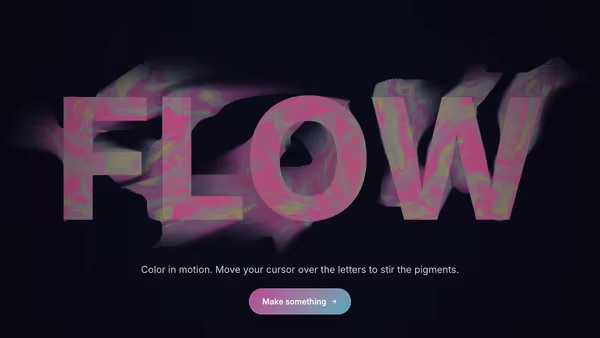
Typographic Fluid Simulation

A bold headline acts as a mask for a real-time colorful fluid. Domain-warped FBM noise advected over time + a pointer-driven velocity grid swirl two color fields inside the type while the background stays minimal. Move the cursor to inject velocity and color into the letters.

Energy Beam CTA

A conversion-focused hero: the main CTA button emits a glowing vertical beam that connects to a tilted product dashboard, making the button feel like it activates the product. Hover the CTA to brighten the beam, burst particles, and ripple a wake across the dashboard.

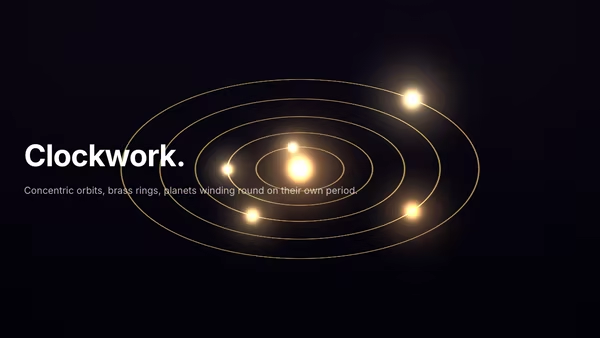
Mechanical Orrery

Tilted-projection brass orrery — concentric orbit rings, planets at parametric positions, slow shadows. The cursor tilts the assembly.

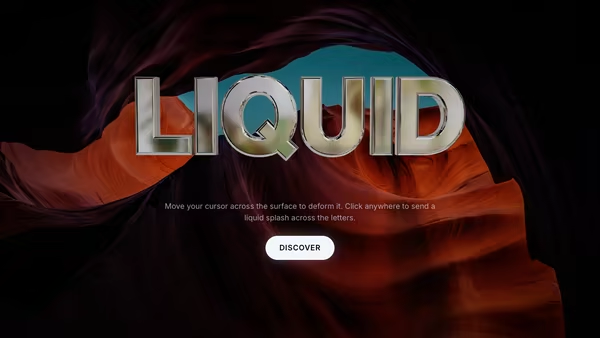
Liquid Metal Typography

Heavy 3D headline rendered as molten chrome — letters wobble with FBM noise while staying readable, pointer creates localized ripples on the surface, and clicking triggers a quick splash wavefront. Floats over an image or video backdrop with a user-selectable HDRI driving the reflections.
Live customizer

Orbiting Word System

CTA labelSet empty to hide the CTA.On clickURL to navigate to on click. Code consumers can pass a function — same prop name, type-detected at runtime.CTA text colourCTA backgroundCTA glowOrbit wordsOne word per line. Up to 8 words have individual click handlers (onWord1Click..onWord8Click).On word 1 clickURL or (in code) function called when the first orbit word is clicked.On word 2 clickOn word 3 clickOn word 4 clickOn word 5 clickOn word 6 clickOn word 7 clickOn word 8 clickMin orbit radius300pxInnermost orbit radius. Below ~260 the words crowd the heading.Max orbit radius540pxOutermost orbit radius. Above ~600 words can clip on small viewports.Orbit tilt variation62°How much each orbit tilts away from the screen plane. Low values pile words into a horizontal band across the heading; 55–75 gives a full sphere of satellites above and below.Orbit speed0.3Master multiplier. 0 freezes the system (still hover-reactive).Orbit directionHover scale1.6How big a hovered word grows. 1.4–1.8 reads premium, 2+ feels arcade.Hover transition140msRelated glow0.5Glow on the other orbiting words while one is hovered.Transparent backgroundBackgroundHeading colourOrbit word colourOrbit word hover colourStarfield density0.6Background starfield strength. 0 disables the stars.Heading fontHeading weight800Orbit word fontOrbit word weight500InteractivityWhich input drives the hero — try Scroll if you want the page to drive motion.
CrazyGL · crazygl.comProgrammable hero sections for real websites.