CrazyGL
Floating Ceramic UI
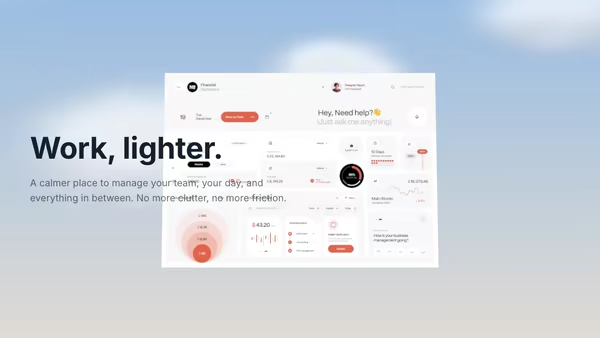
A matte ceramic-like tablet panel with rounded edges presents your dashboard screenshot under soft studio lighting. The slab breathes through a slow yaw oscillation with subtle pointer-driven tilt; ambient occlusion sells the screen-to-bezel seam.
Usage
import FloatingCeramicUI from '@crazygl/hero-floating-ceramic-ui';

export default function Page() {
  return (
    <FloatingCeramicUI
      heading="Built for clarity."
      screenshot="https://example.com/dashboard.png"
      panelTint="#f7f3ee"
      rotationAmplitude={8}
    />
  );
}
Customise
- Screen —
screenshot(aspect derived from the image),screenshotScale,screenshotX/Y,screenBrightness. - Panel —
panelTint,panelRoughness,panelClearcoat,panelDepth,panelBevel,roughnessVariation,sheenStrength,subsurfaceTint. - Motion —
rotationAmplitude,rotationSpeed,pointerParallax,tiltX. - Lighting —
keyLight*,fillLight*,envIntensity,exposure,shadowOpacity. - Background —
transparentBackground,bgTopColor,bgBottomColor.
Best for
- Premium SaaS launch and pricing pages.
- Fintech and analytics dashboard products.
- AI productivity tools and polished admin / developer-platform sites showing off an app screen.
One command, zero config.
npm install @crazygl/hero-floating-ceramic-uiImport once, drop it in.
The component takes the same props you see in the live customizer on the right — every default ships poster-quality.
import FloatingCeramicUI from '@crazygl/hero-floating-ceramic-ui';

export default function Landing() {
  return (
    <FloatingCeramicUI />
  );
}SSR-safe by default.
The wrapper renders static HTML on the server and only initialises the canvas after hydration, so search engines see your copy.
// app/page.tsx — works in SSR-first frameworks (Next, Remix, Astro, etc.)
'use client';

import FloatingCeramicUI from '@crazygl/hero-floating-ceramic-ui';

export default function Page() {
  return (
    <section>
      <FloatingCeramicUI
        heading="Say hi."
        subheading="Your new hero."
      />
      <article>
        <h2>Welcome</h2>
        <p>Your content keeps its own voice below the hero.</p>
      </article>
    </section>
  );
}