CrazyGLCrazyGLHomeExploreGitHubBrowse heroesLoading hero…← Back to gallery@crazygl/white-infinity-studio

White Infinity Studio

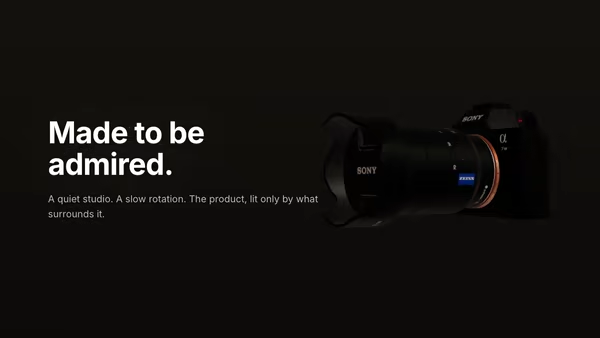
A 3D product GLB floats in a bright seamless infinity studio — the floor sweeps continuously up into the back wall with no visible seam. Three-point softbox lighting, a soft floor reflection, and a very subtle camera dolly sell the look of a premium catalogue photoshoot.

ReactWebGL3DImageInteractiveFont#3d#product#studio#infinity-wall#pbr#hdri#ecommerce#luxury#three

Usage

import WhiteInfinityStudio from '@crazygl/hero-white-infinity-studio';

export default function Page() {
  return (
    <WhiteInfinityStudio
      heading="The new flagship."
      model="/path/to/my-product.glb"
      stageLayout="content-left"
    />
  );
}

Customise

  • StagestageLayout, productX / productY, stageTone (wall tint), wallCurve (floor→wall sweep tightness).
  • CameracameraDistance, cameraHeight, dollyAmplitude, pointerParallax.
  • Productmodel (GLB/GLTF), useGlbMaterials (or override overrideColor / overrideMetalness / overrideRoughness), productScale, productTilt, productYaw, floatHeight, spinSpeed (turntable).
  • LightingenvironmentImage (HDRI), envIntensity, exposure, keyIntensity / keyWarmth, fillIntensity, rimIntensity / rimColor, shadowStrength.

Best for

  • Hardware and consumer-electronics launch pages
  • E-commerce product heroes (jewellery, watches, fragrance, beauty)
  • Editorial / catalogue-style brand storytelling
  • Premium SaaS pages that want to feel "shot in a studio"
01 · Install the package

One command, zero config.

npm install @crazygl/hero-white-infinity-studio
02 · Render the component

Import once, drop it in.

The component takes the same props you see in the live customizer on the right — every default ships poster-quality.

hero.tsx
import WhiteInfinityStudio from '@crazygl/hero-white-infinity-studio';

export default function Landing() {
  return (
    <WhiteInfinityStudio />
  );
}
03 · Use it in a page

SSR-safe by default.

The wrapper renders static HTML on the server and only initialises the canvas after hydration, so search engines see your copy.

page.tsx
// app/page.tsx — works in SSR-first frameworks (Next, Remix, Astro, etc.)
'use client';

import WhiteInfinityStudio from '@crazygl/hero-white-infinity-studio';

export default function Page() {
  return (
    <section>
      <WhiteInfinityStudio
        heading="Say hi."
        subheading="Your new hero."
      />
      <article>
        <h2>Welcome</h2>
        <p>Your content keeps its own voice below the hero.</p>
      </article>
    </section>
  );
}
You might also like

Similar heroes

Product Turntable Studio

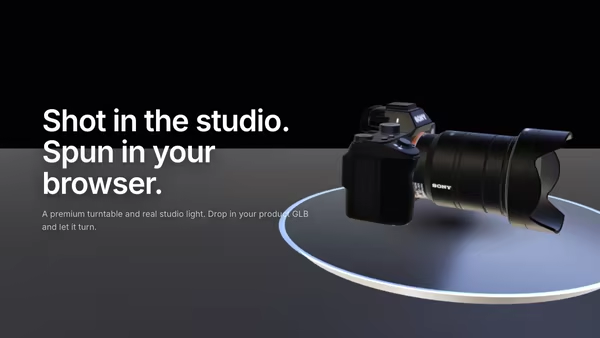
A 3D product model rotates on a premium polished turntable disc beside the hero copy. Studio HDRI lighting, warm key and cool fill softboxes, drag to free-spin, and pointer hover-zoom — a high-end product launch in code.

Product Pedestal

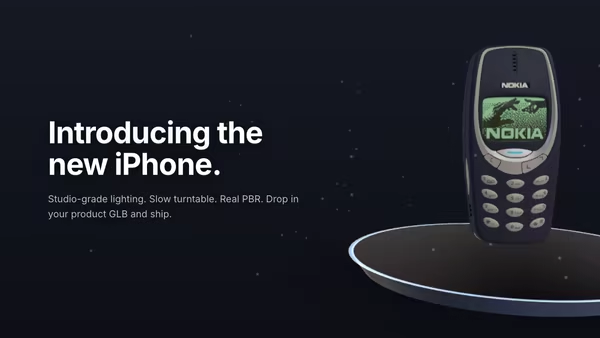
A 3D product model rests on a minimal floating pedestal under studio HDRI lighting. Slow turntable rotation, soft contact shadow, drifting dust, subtle mouse parallax, and press-and-drag to free-spin the product.

Floating Product

A 3D product model drifts and slowly turns in a quiet studio atmosphere. The model wears its own PBR textures; soft dust particles drift through the air around it.

Scroll-to-Assemble Product

A 3D product begins disassembled and clicks together as you scroll the page. Once whole, the camera eases in and benefit labels fade in around it. Cinematic three-point studio lighting with HDRI reflections.

Floating Ceramic UI

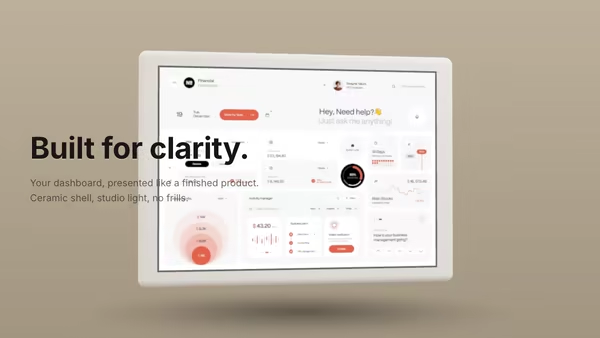
A matte ceramic-like tablet panel with rounded edges presents your dashboard screenshot under soft studio lighting. The slab breathes through a slow yaw oscillation with subtle pointer-driven tilt; ambient occlusion sells the screen-to-bezel seam.

Product Exploded View

A 3D model splits into several floating layers on load, then slowly reassembles. Hovering separates the parts again — connector lines hint at the assembly path. Cinematic three-point studio lighting with HDRI reflections.
Live customizer

White Infinity Studio

LayoutWhere the product sits relative to the heading.Product X0worldFine-tune the product position horizontally on top of the layout preset.Product Y0worldLift or drop the product within the studio.Studio toneTint of the infinity wall. Pure white reads bright catalogue; warm cream reads luxury / editorial.Wall curve0.55How tightly the floor sweeps up into the back wall. Lower = a long lazy curve; higher = a sharper bend just behind the subject.Camera distance3.7Pull the camera further back for a wider frame.Camera height0.55Eye-level height. Lower for a worm's-eye hero shot, higher for a 3/4 catalogue feel.Dolly amplitude0.06worldVery subtle camera dolly. 0.06 ≈ 6cm of movement over a 14s cycle — readable as a slow breath, not a panning shot.Pointer parallax0.3How much the camera target shifts in response to the cursor. 0 disables.Product Model (GLB / GLTF)Drop in any GLB or GLTF file. The model is auto-fit so the longest dimension reads at a comfortable size in the studio frame.Use GLB materialsKeep the model's authored PBR materials. Turn off to override every mesh with a single tunable white-studio material.Product size1Multiplier on the auto-fit.Product tilt-6°Tip the product back (negative) or forward (positive) like a real catalogue stand.Product yaw18°Rotate the product around its vertical axis. 18° gives a flattering three-quarter view.Float height0.06worldHow far the product lifts off the floor. Small positive values give a subtle hovering feel without losing the contact shadow.Turntable spin0.1rad/sContinuous Y-axis rotation, like a real photo-studio turntable. Default 0.10 rad/s ≈ one full revolution every 63 seconds — slow and dignified. Set to 0 for a static product. Reduced-motion freezes the spin.Studio HDRIEquirectangular (2:1) image used for IBL reflections only — it never shows directly in the frame. /samples/hdri1.avif is a soft studio environment.Environment intensity0.9Strength of the HDRI's contribution to reflections on the product.Exposure1.15Tone-mapping exposure. Bright studio defaults sit between 1.05 and 1.3.Key softbox intensity5.2Large RectAreaLight (key softbox) above-front of the product. RectAreaLight values are physical-ish: studio key sits around 4-8.Key softbox warmth0.18Negative = cool daylight (5500K-ish); positive = warm tungsten. 0 is neutral white.Fill intensity0.55Hemisphere fill so the shadow side of the product isn't inky.Rim softbox intensity3.4Second RectAreaLight behind/above the product — kicks a soft halo on the silhouette.Rim colourTint of the rim softbox. White is invisible-on-white; a pale cool blue reads cinematic.Contact shadow0.55Opacity of the soft shadow under the product. 0.5–0.65 is the catalogue sweet spot.Reflection strength0.22How much of the product reflects in the polished floor. Below 0.15 reads as matte studio paper; above 0.4 starts to look like a wet floor and breaks the catalogue feel. Sweet spot 0.18–0.30.Reflection softness0.7Soft fade of the reflection with distance from the contact point. Higher = the reflection dies sooner into the matte floor.Heading FontInteractivityWhich input drives the hero — try Scroll if you want the page to drive motion.
CrazyGL · crazygl.comProgrammable hero sections for real websites.