CrazyGLCrazyGLHomeExploreGitHubBrowse heroesLoading hero…← Back to gallery@crazygl/volumetric-beam-logo

Volumetric Beam Logo

Your logo floats inside a vertical museum-grade beam of light. Ray-marched volumetric cone reveals drifting dust around the brand, an emissive ring lights the logo, and a soft floor shadow grounds the scene. Premium SaaS / personal-branding / product-launch aesthetic.

ReactWebGL3DImageInteractiveFont#three#3d#volumetric#light#beam#logo#particles#premium#fog

Usage

import VolumetricBeamLogo from '@crazygl/hero-volumetric-beam-logo';

export default function Hero() {
  return (
    <VolumetricBeamLogo
      logoImage="https://example.com/logo.svg"
      heading={"Stand\nin the light."}
      beamColor="#ffd99a"
      beamIntensity={1.6}
      contentSide="content-left"
    />
  );
}

The logoImage accepts a transparent SVG (preferred) or PNG — both are extruded into 3D — or a GLB/GLTF model, which replaces the extrusion with your mesh.

Customise

  • Content & Layoutheading / subheading, two-column or custom node; contentSide (centered / left / right, beam auto-shifts opposite) and beamPositionX override.
  • LogologoSize, logoDepth (extrusion), logoHeight, logoSpin, logoTint, logoMetalness, logoRoughness, logoEmissive, useGlbMaterials.
  • BeambeamColor, beamIntensity, beamWidth, beamSoftness, fogDensity (dust), ringIntensity (logo ring glow).
  • CameraorbitSpeed, parallaxStrength, dragInertia, moteCount.
  • LightingenvironmentImage (HDRI for reflections) and envIntensity.
  • BackgroundbgTop, bgBottom, floorColor.

Best for

  • Brand launches and rebrands where the logo needs a spotlight moment.
  • Premium SaaS hero sections and product-reveal landing pages.
  • Personal-branding and portfolio sites that want a single, cinematic focal point.
01 · Install the package

One command, zero config.

npm install @crazygl/hero-volumetric-beam-logo
02 · Render the component

Import once, drop it in.

The component takes the same props you see in the live customizer on the right — every default ships poster-quality.

hero.tsx
import VolumetricBeamLogo from '@crazygl/hero-volumetric-beam-logo';

export default function Landing() {
  return (
    <VolumetricBeamLogo />
  );
}
03 · Use it in a page

SSR-safe by default.

The wrapper renders static HTML on the server and only initialises the canvas after hydration, so search engines see your copy.

page.tsx
// app/page.tsx — works in SSR-first frameworks (Next, Remix, Astro, etc.)
'use client';

import VolumetricBeamLogo from '@crazygl/hero-volumetric-beam-logo';

export default function Page() {
  return (
    <section>
      <VolumetricBeamLogo
        heading="Say hi."
        subheading="Your new hero."
      />
      <article>
        <h2>Welcome</h2>
        <p>Your content keeps its own voice below the hero.</p>
      </article>
    </section>
  );
}
You might also like

Similar heroes

Soft Volumetric Particle Fog

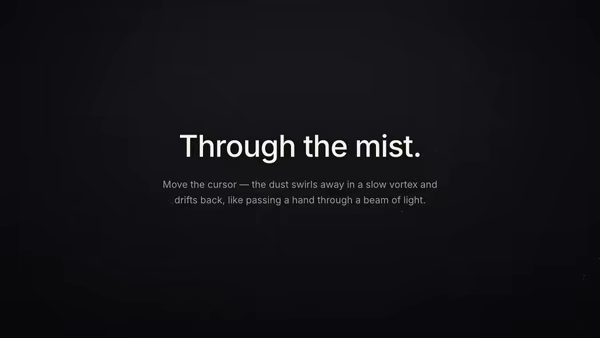
Thousands of tiny semi-transparent dust motes drift in depth inside a soft beam of light. Curl-noise keeps them floating naturally; depth fog reads volumetric; the pointer stirs a slow vortex that swirls particles away and leaves a fading wake, like moving a hand through mist.

Extruded Logo Monolith

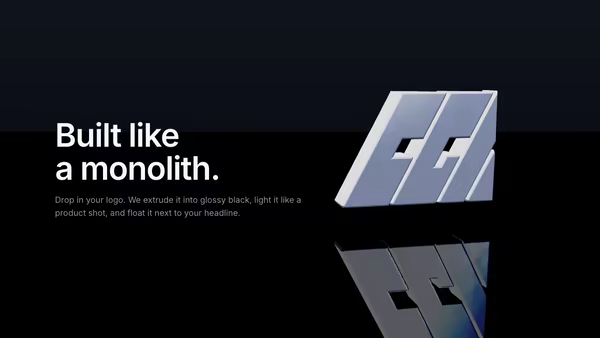
Drop in a transparent SVG (or PNG) logo and it becomes a glossy black 3D sculpture with bevelled edges, studio HDRI reflections, a mirror floor, and an animated rim-light sweep. Premium product-shot look for SaaS, agencies, and AI tools.

Energy Beam CTA

A conversion-focused hero: the main CTA button emits a glowing vertical beam that connects to a tilted product dashboard, making the button feel like it activates the product. Hover the CTA to brighten the beam, burst particles, and ripple a wake across the dashboard.

Ice Encased Logo

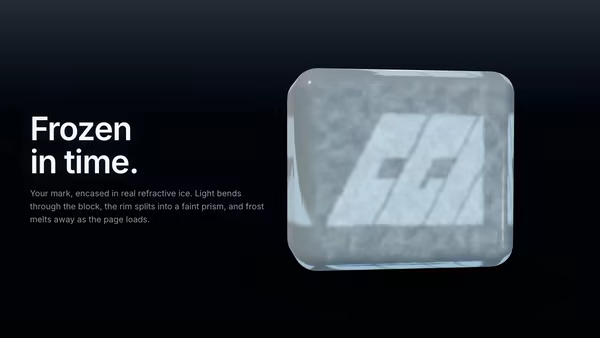
Your logo is frozen inside a chunky beveled cube of real refractive ice. Three.js MeshPhysicalMaterial with IOR 1.31, clearcoat, Beer-Lambert blue attenuation and chromatic dispersion bends the studio HDRI around the brand. Frost on the front face melts on load to reveal the logo inside a clear ice-cube body.

Floating Dashboard With Light Beam Reveal

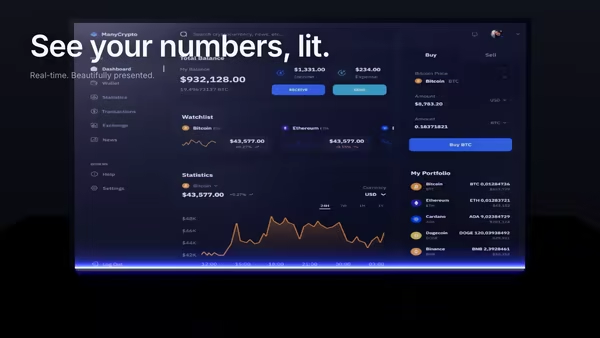
Your product dashboard, tilted in 3D space, scanned into existence by a soft blue-purple light beam. A glowing uplight underneath and a subtle floor reflection complete the look.

Magnetic Logo Field

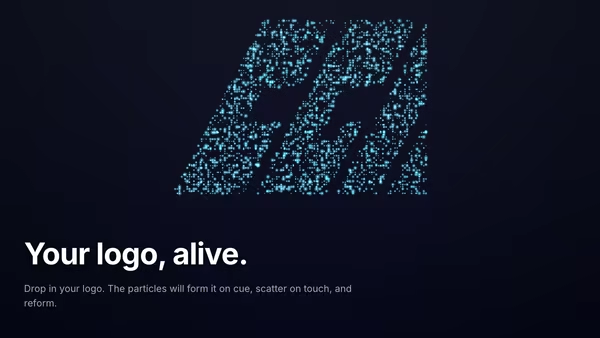
An image-driven particle field. Drop in a logo and the particles drift around then snap into its silhouette in waves. Cursor magnetically pulls or repels the swarm. Sample by alpha, luminosity, or transparency.
Live customizer

Volumetric Beam Logo

Logo (SVG / PNG / GLB)Transparent SVG (preferred), PNG, or a 3D GLB/GLTF file. SVG/PNG are extruded into 3D; GLB replaces the extrusion with your model.Logo Size1.05Extrusion Depth0.22Thickness of the extruded logo. Only affects SVG/PNG inputs.Logo Height in Beam0Vertical offset of the floating logo.Logo Spin Speed0.18Slow Y-axis auto-rotation so you can see the sides of the extrusion over time.Logo ColorLogo Metalness0.85Logo Roughness0.28Beam-Lit Glow0.35Faint emissive tint matched to the beam color so the logo itself glows when bathed in beam light.Keep GLB MaterialsWhen the logo is a GLB/GLTF file, keep its authored PBR materials. Turn off to override with the metallic material above.Beam ColorBeam Intensity1.6Beam Width0.68Beam Edge Softness0.55Dust Density1.15Logo Ring Glow0.55Camera Orbit Speed0.1Mouse Parallax0.55Drag Spin Inertia0.35How long the logo keeps spinning after you release a drag.Floating Motes380Environment HDRIEquirectangular environment map (HDRI/JPG) sampled for PBR reflections on the extruded logo. Used for `scene.environment` only — never as a visible background.Reflection Strength0.85Background TopBackground BottomFloor ColorHeading FontInteractivityWhich input drives the hero — try Scroll if you want the page to drive motion.
CrazyGL · crazygl.comProgrammable hero sections for real websites.