CrazyGLCrazyGLHomeExploreGitHubBrowse heroesLoading hero…← Back to gallery@crazygl/sculpted-light-bust

Sculpted Light Bust

A polished marble sculpture under studio lighting. The pointer orbits a single bright key light around the bust in real 3D, raking it across the stone face for hot specular highlights, cool subsurface shadows in the recesses, and a warm rim that tracks the cursor like a real museum spotlight.

ReactWebGL3DImageInteractiveFont#3d#marble#sculpture#studio#lighting#premium#pointer#three#subsurface#museum

Usage

import SculptedLightBust from '@crazygl/hero-sculpted-light-bust';

export default function Hero() {
	return (
		<SculptedLightBust
			heading="Carved in light."
			productModel="/models/bust.glb"
			materialPreset="marble"
		/>
	);
}

Drop any GLB/GLTF mesh on productModel; the hero auto-fits it to a normalised bounding box. Single-subject hero scans (a bust, head, or statue) read best.

Customise

  • ModelproductModel, modelScale, positionX/Y, yaw, pitch, parallaxStrength.
  • LightlightRadius, lightIntensity, keyColor, rimWarmth, rimIntensity, fillIntensity (studio fill).
  • MaterialmaterialPreset (marble / porcelain / gold / chrome / bronze / obsidian / jade), marbleWhiteness, marbleRoughness, subsurfaceStrength, subsurfaceColor.
  • BackdropbackgroundTop / backgroundBottom gradient, backgroundDarkness, floorHaloIntensity, transparent.

Best for

  • Luxury, fashion, and heritage / craft brand landing pages.
  • Museum, gallery, and exhibition microsites.
  • Premium product launches wanting a curated, tactile feel.
01 · Install the package

One command, zero config.

npm install @crazygl/hero-sculpted-light-bust
02 · Render the component

Import once, drop it in.

The component takes the same props you see in the live customizer on the right — every default ships poster-quality.

hero.tsx
import SculptedLightBust from '@crazygl/hero-sculpted-light-bust';

export default function Landing() {
  return (
    <SculptedLightBust />
  );
}
03 · Use it in a page

SSR-safe by default.

The wrapper renders static HTML on the server and only initialises the canvas after hydration, so search engines see your copy.

page.tsx
// app/page.tsx — works in SSR-first frameworks (Next, Remix, Astro, etc.)
'use client';

import SculptedLightBust from '@crazygl/hero-sculpted-light-bust';

export default function Page() {
  return (
    <section>
      <SculptedLightBust
        heading="Say hi."
        subheading="Your new hero."
      />
      <article>
        <h2>Welcome</h2>
        <p>Your content keeps its own voice below the hero.</p>
      </article>
    </section>
  );
}


You might also like

Similar heroes

Extruded 3D Headline Sculpture

Your headline as a thick, bevelled 3D sculpture floating under three-point studio lighting. Each letter has glossy bevelled edges, the camera parallaxes with your pointer so the depth reads from every angle, a soft contact shadow + AO strip ground it, and a real mirrored reflection fades into the glossy floor. A CTA button hover sends a sweep of light across the letters.

Light Cloth Mesh

A glowing silk sheet woven from neon threads filling the frame and waving in 3D. Drag the pointer across the silk and it leaves a natural rippling wake — each touch sends an expanding wavefront, and the faster you sweep the stronger the ripples. Cyan-to-magenta threads glow on near-black.

Typographic 3D Transformer

A single extruded 3D word sits in the centre of the stage with a glassy candy finish under a RoomEnvironment studio. Move the cursor horizontally and the whole word rotates to face you; move vertically and each letter individually leans toward the cursor — closer letters bend more.

Data Rain 3D

Characters, digits and small symbols fall through a real 3D perspective volume. Near glyphs are large and bright, far ones shrink and dissolve into depth fog. Move the cursor and the falling stream curves around it, like rain hitting an invisible umbrella.

WALL-E

An animated 3D WALL-E that watches your cursor. His binocular head tracks the pointer with a soft, critically-damped spring — he idles, blinks, leans, and trundles a little on his treads to keep you in view, then perks up and bobs excitedly when you hover the call-to-action. Robot on the left, copy and CTA on the right. Premium, characterful, alive.

Magnetic Dot Cloud

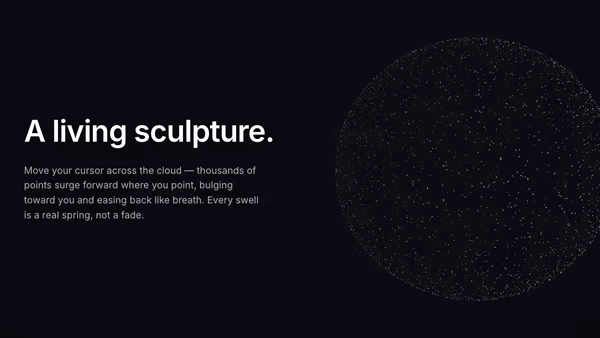
Thousands of floating 3D points settle into a soft sphere of light. Wherever you point, a gravity well opens — nearby dots erupt radially outward from the sphere's centre, bulging the cloud like a living particle sculpture. A critically-damped spring eases every swell in and out; idle, the whole field drifts and turns.
Live customizer

Sculpted Light Bust

Sculpture (GLB/GLTF)Any GLB/GLTF mesh. Best results with a single hero-style sculpture (bust, statue, head). Drop your own from Sketchfab / Smithsonian here.Sculpture size1Horizontal position1.05worldShifts the bust left or right. Default sits it to the right so the heading copy lives on the left.Vertical position0worldYaw-8°Sculpture rotation around the vertical axis. A slight three-quarter turn reads best for a portrait bust.Pitch-2°Pointer parallax0How much the sculpture subtly tracks the cursor on top of its yaw. 0 = locked to the yaw slider; 1 = strong head-tracking parallax.Light radius3.8How far the key light orbits from the centre of the sculpture. Smaller = harsher / closer-feeling key.Light intensity4.5Brightness of the pointer-driven key. The sweet spot is 3.5–6 — pushed higher you start blowing out the polished forehead.Key colourWarm-white feels like a tungsten museum spotlight; pure white reads more clinical.Rim warmthCounter-positioned rim light. Warm reds and oranges read as galleries; cool blues read as moonlight.Rim intensity1.1Strength of the counter-key. Zero = no rim, the sculpture loses its silhouette into the dark.Studio fill0.3Cool studio ambient. Drop to 0 for full chiaroscuro; lift to 1+ for a softer art-book feel.MaterialPick a finished stone/metal look, or 'Marble (custom)' to drive the stone with the whiteness/polish sliders below.Stone whiteness10 = bronze / dark stone, 1 = bone-white polished marble.Stone polish0.3Lower = mirror-polished (hot specular peaks), higher = matte limestone.Subsurface glow0.6Cool Fresnel rim that fakes subsurface scattering at the glancing edges of the sculpture.Subsurface tintCool tint riding the Fresnel rim. Pale teal sells real marble; pale orange suggests living skin.Transparent backgroundBackdrop darkness0.93Pulls the gradient down toward true black. 1 = lights-out gallery, 0.4 = soft studio grey.Backdrop topBackdrop bottomFloor halo0.35Subtle radial pool of light under the sculpture suggesting a polished plinth.InteractivityWhich input drives the hero — try Scroll if you want the page to drive motion.
CrazyGL · crazygl.comProgrammable hero sections for real websites.