CrazyGLCrazyGLHomeExploreGitHubBrowse heroesLoading hero…← Back to gallery@crazygl/sand-typography

Sand Typography

Your headline is built from thousands of grains of sand. The grains drift on the breeze, erode where the cursor sweeps through them, and spring back to spell the word again.

ReactWebGLInteractiveFont#particles#typography#sand#wind#travel#wellness#outdoor#storytelling#interactive#webgl

Usage

import SandTypography from '@crazygl/hero-sand-typography';

export default function App() {
	return (
		<SandTypography
			heading="Sands of time."
			subheading="Sweep your cursor and watch the wind do its work."
			ctaLabel="Begin the journey →"
			grainCount={8000}
		/>
	);
}

Customise

  • Contentheading, optional subheading, and a CTA (ctaLabel, onCTAClick as URL or function, ctaTextColor, ctaBgColor).
  • GrainsgrainCount (2000–15000, sweet spot 6000–10000), grainSize, and the grainColorLight / grainColorDark palette.
  • SpringspringStiffness, springDamping, brownianJitter tune how grains recover and how alive the field feels at rest.
  • WindwindRadius, windStrength, windDecayTime control the cursor gust.
  • TypographyheadingFontFamily, headingFontWeight, headingSize, headingOffsetX / headingOffsetY.
  • Ambient grainsambientGrainCount, ambientGrainOpacity, ambientGrainSpeed for the background drift layer.
  • BackgroundbgTop / bgBottom dune gradient or transparentBackground.

Best for

  • Travel, adventure, and outdoor lifestyle brands.
  • Wellness, retreat, and luxury hospitality launches.
  • Editorial homepages where the headline is the visual centrepiece.
01 · Install the package

One command, zero config.

npm install @crazygl/hero-sand-typography
02 · Render the component

Import once, drop it in.

The component takes the same props you see in the live customizer on the right — every default ships poster-quality.

hero.tsx
import SandTypography from '@crazygl/hero-sand-typography';

export default function Landing() {
  return (
    <SandTypography />
  );
}
03 · Use it in a page

SSR-safe by default.

The wrapper renders static HTML on the server and only initialises the canvas after hydration, so search engines see your copy.

page.tsx
// app/page.tsx — works in SSR-first frameworks (Next, Remix, Astro, etc.)
'use client';

import SandTypography from '@crazygl/hero-sand-typography';

export default function Page() {
  return (
    <section>
      <SandTypography
        heading="Say hi."
        subheading="Your new hero."
      />
      <article>
        <h2>Welcome</h2>
        <p>Your content keeps its own voice below the hero.</p>
      </article>
    </section>
  );
}
You might also like

Similar heroes

Logo Sand Formation

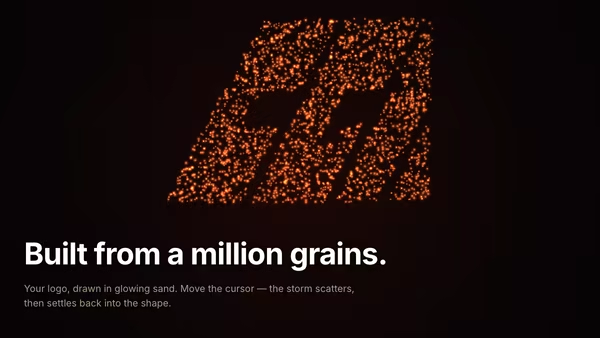
Thousands of glowing sand grains drift on a warm desert current and re-form the supplied logo. Pointer movement scatters them in a Gaussian shockwave; springs and damping pull each grain back into the silhouette.

Text Flow

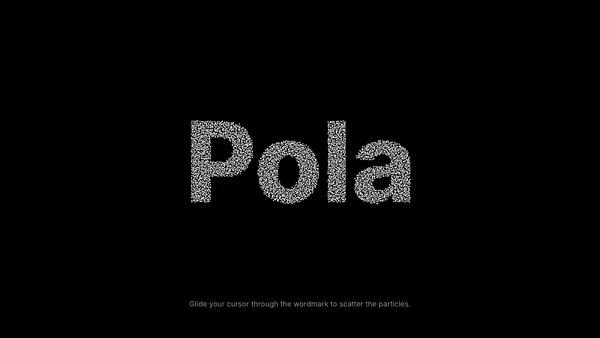
A wordmark assembled out of thousands of soft particles, each parked at a sampled pixel of the rasterised text. Move the cursor through it and the particles flee from your hand, then spring back to their target positions.

On Scroll Typography

A headline whose transform is driven by scroll progress through the viewport — pick an animation flavour (scale / rotate / slide / blur / combo), tune the scroll window, and the headline does the rest.

Kinetic Text Motion

Words cycle through, each one wiping in and out as 40 horizontal stripes that scale staggered across a WebGL surface. Optional per-fragment blur, distortion or ripple effect.

Particle Typography

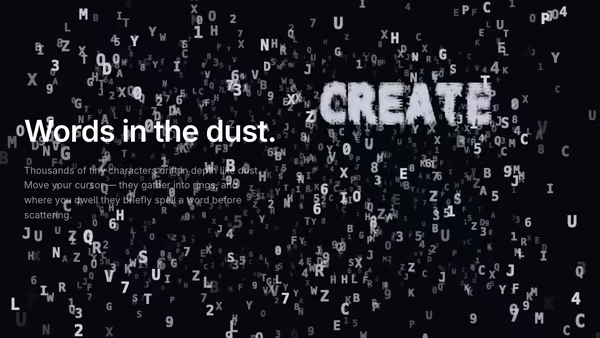
A dusty 3D volume of tiny floating characters — abstract micro-typography drifting in depth. The pointer pulls characters into rings and streams, and where the cursor dwells the dust briefly organises itself into a real word before scattering back into the haze.

Kinetic Split Typography

A bold grotesk headline is split into horizontal slices that fly in from alternating sides, settle into alignment, and then parallax against the pointer at different depths.
Live customizer

Sand Typography

Grain count8000How many grains sample the letter shape. Higher = crisper letters but more CPU. Sweet spot 6000-10000.Grain size1.2pxPer-grain render size. Below 0.8 reads as dust; above 2.0 starts losing letter crispness.Light grain colorPale sand tone — used as the highlight side of the grain palette.Dark grain colorDeeper amber-brown tone — used as the shadow side of the grain palette.Spring stiffness0.3How strongly each grain is pulled back to its home position. 0 = no recovery; 3 = stiff snap.Spring damping1.6How quickly oscillation dies out. 1 ≈ critical, above 1 = overdamped (no bounce).Brownian jitter0.25Per-frame random perturbation that keeps grains alive at rest. 0 = still; 1 = restless.Wind radius180pxCursor wind radius. Grains inside this ring get pushed outward proportional to cursor speed.Wind strength1.4Multiplier on the cursor-velocity wind force. 0 disables erosion.Wind decay time1.2sHow long the wind gust lingers after the cursor stops moving.Background topBackground bottomTransparent backgroundDrop the warm dune-light gradient so the hero composites onto your page background.Heading fontUsed to rasterise the heading into the offscreen canvas that seeds the grain target positions. Cormorant Garamond gives an editorial serif; Inter Tight gives a bold modern sans.Heading weight800Heading size1Overall size multiplier for the heading. Scales BOTH the rasterised glyph density and the projected cluster size, so letters stay sharp at any scale.Heading offset X0worldHorizontal nudge of the headline cluster from dead-centre. -1 = far left, 0 = centered, +1 = far right.Heading offset Y-0.33worldVertical nudge of the headline cluster from dead-centre. -1 = top, 0 = centered, +1 = bottom.Ambient grain count500Sparse Brownian-drifting grains scattered across the whole canvas, separate from the headline. 0 disables the ambient layer.Ambient grain opacity0.45Overall opacity of the ambient layer. Keep below the heading so it reads as background atmosphere, not a competing field.Ambient grain speed0.5Base Brownian drift rate for the ambient field. 0 = frozen; 1 = lively; 2 = restless.InteractivityWhich input drives the hero — try Scroll if you want the page to drive motion.
CrazyGL · crazygl.comProgrammable hero sections for real websites.