CrazyGLCrazyGLHomeExploreGitHubBrowse heroesLoading hero…← Back to gallery@crazygl/liquify-photo

Liquify Photo

Drag across the photograph and the pixels smear like thick liquid — pushed along your cursor, swirling into eddies, fringing green and magenta where the distortion runs hardest, then slowly flowing back to where they started. Faster movement means deeper distortion.

ReactWebGLImageInteractiveFont#liquify#fluid#distortion#image-input#chromatic-aberration#interactive#webgl#photo#premium

Usage

import LiquifyPhoto from '@crazygl/hero-liquify-photo';

export default function Page() {
  return (
    <LiquifyPhoto
      backgroundImage="https://crazygl.com/samples/leopard-portrait.avif"
      heading="Liquify Photo"
      pushStrength={1}
      returnSpeed={0.55}
    />
  );
}

Customise

  • ImagebackgroundImage (any photo; cover-fitted so any aspect works), imageZoom (keep a little above 1 so the fluid never drags the frame edge into view), overlayDarkness, vignette, grainAmount.
  • LiquifybrushRadius and pushStrength set how wide and how hard the cursor pushes (the brush itself also widens with pointer speed); swirlAmount turns a straight smear into genuine self-sustaining vortices; advection decides how much the distortion keeps flowing after you stop; returnSpeed how fast pixels ease home; maxDistortion caps how far a pixel can travel; aberration controls the green/magenta fringing on the hardest smears.
  • IdleidleMotion keeps a slow phantom current running before anyone touches it.

The distortion always scales with pointer speed, so a slow pass caresses the surface and a fast swipe gouges it. High-detail photographs read best — the effect needs texture to smear.

The heading is bold, large, left-aligned, and stands alone (no subheading, no hover effects) — it defaults to "Liquify Photo" but reads well as any short label.

Best for

  • Photography portfolios, galleries, and print studios.
  • Fashion, beauty, and editorial covers that want a tactile, physical hero.
  • Product and art pages where the image itself is the story and should invite touch.
01 · Install the package

One command, zero config.

npm install @crazygl/hero-liquify-photo
02 · Render the component

Import once, drop it in.

The component takes the same props you see in the live customizer on the right — every default ships poster-quality.

hero.tsx
import LiquifyPhoto from '@crazygl/hero-liquify-photo';

export default function Landing() {
  return (
    <LiquifyPhoto />
  );
}
03 · Use it in a page

SSR-safe by default.

The wrapper renders static HTML on the server and only initialises the canvas after hydration, so search engines see your copy.

page.tsx
// app/page.tsx — works in SSR-first frameworks (Next, Remix, Astro, etc.)
'use client';

import LiquifyPhoto from '@crazygl/hero-liquify-photo';

export default function Page() {
  return (
    <section>
      <LiquifyPhoto
        heading="Say hi."
        subheading="Your new hero."
      />
      <article>
        <h2>Welcome</h2>
        <p>Your content keeps its own voice below the hero.</p>
      </article>
    </section>
  );
}
You might also like

Similar heroes

Interactive Orb

A fluid iridescent marble floating in the dark. Domain-warped aurora currents — deep navy lobes, cyan pools, hot white folds — swirl across the sphere and flow toward your cursor, with fine contour ripples and filmic grain.

Typographic Fluid Simulation

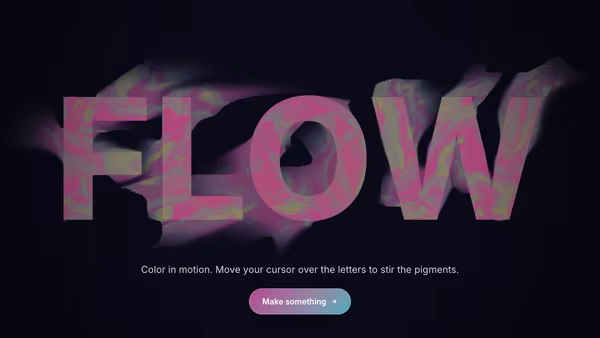
A bold headline acts as a mask for a real-time colorful fluid. Domain-warped FBM noise advected over time + a pointer-driven velocity grid swirl two color fields inside the type while the background stays minimal. Move the cursor to inject velocity and color into the letters.

Glass Panels

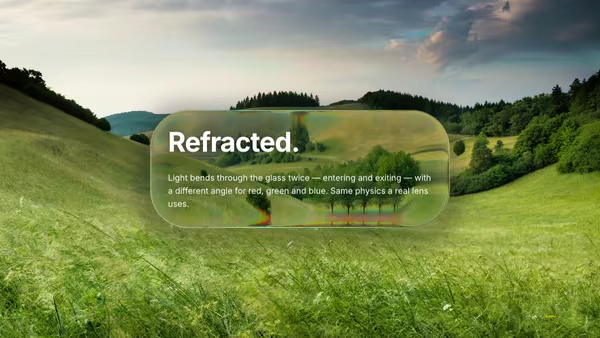
Liquid-glass panels in WebGL — half-sphere bevel, biconvex refraction (entry + exit + thickness), edge-weighted blur mix, multi-light Blinn-Phong specular, Fresnel rim, drop shadow. Drop in any background image and it gets bent through the glass.

Window Lens

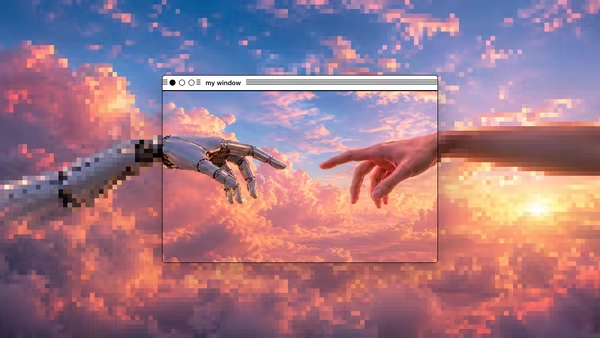
A draggable OS-style window is a sharp 'lens' over an image or video: crisp inside the window, processed outside — pixelate, blur, black-&-white dither, ASCII, or none. Use a separate custom image for the processed outside region, and pick any of four chrome styles (classic Mac, modern Mac, Windows XP, Windows 95).

Liquid Metal Orb

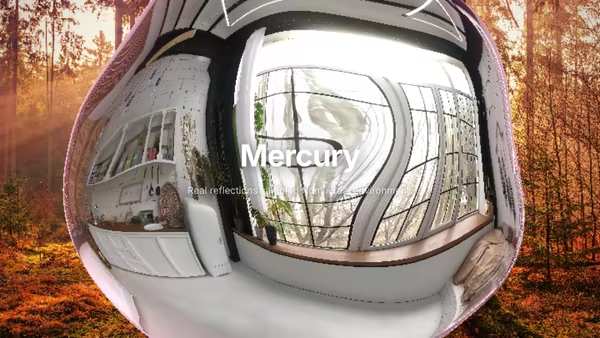
A floating mercury sphere ray-marched in real time, sampling a real environment image (or a procedural studio HDRI) for genuine mirror-like reflections. Drop in a photo to see it bend across the surface. Three layouts: orb centered or content beside it.

Neon Fluid

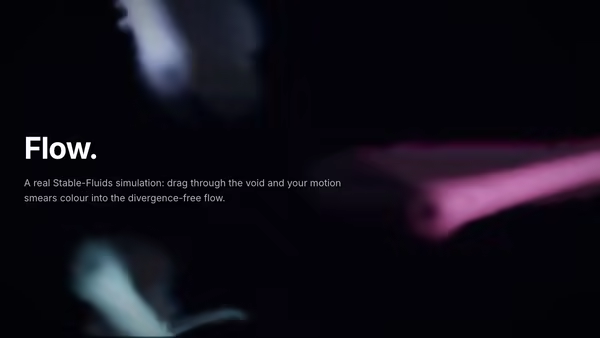
GPU Eulerian fluid simulation (Stam 1999). Advected dye + velocity ping-pong textures with a Jacobi pressure solve give true divergence-free flow. Drag to inject momentum and colour; additive bloom on the dye field paints glowing smoke through the void.
Live customizer

Liquify Photo

PhotographThe image that gets liquified. Cover-fitted, so any aspect works. High-detail photos read best — the distortion needs texture to smear.Image Zoom1.15Scales the photo up inside the frame. Above 1 also hides the edges when the fluid pushes pixels past the border.Darken0.3Dims the photo so the heading stays legible.Vignette0.35Film Grain0.35Brush Size0.096How wide the cursor's push reaches, as a fraction of the frame's short side.Push Strength1How hard the cursor drags pixels. The effect always scales with pointer SPEED — this is the multiplier on top.Swirl0.5Curl injected beside the drag. 0 is a straight smear; higher values spin the smear into eddies.Flow1How much the distortion carries itself downstream after you stop — the difference between a static dent and a living current.Return Speed0.55How quickly pixels flow back to their original position. Low values leave long-lived trails.Viscosity0.45Spreads the distortion into neighbouring pixels — high is honey-smooth, low keeps sharp ripples and striations.Max Distortion0.17Ceiling on how far a pixel can travel from home, so fast drags stay beautiful instead of shredding.Chromatic Aberration1.1Red and blue sample at different distances where the distortion is most intense — the green/magenta fringing on hard smears.Idle DriftBefore the cursor arrives, a slow phantom current keeps the surface alive.Heading FontInteractivityWhich input drives the hero — try Scroll if you want the page to drive motion.
CrazyGL · crazygl.comProgrammable hero sections for real websites.