CrazyGLCrazyGLHomeExploreGitHubBrowse heroesLoading hero…← Back to gallery@crazygl/liquid-glass-badge-logo

Liquid Glass Badge Logo

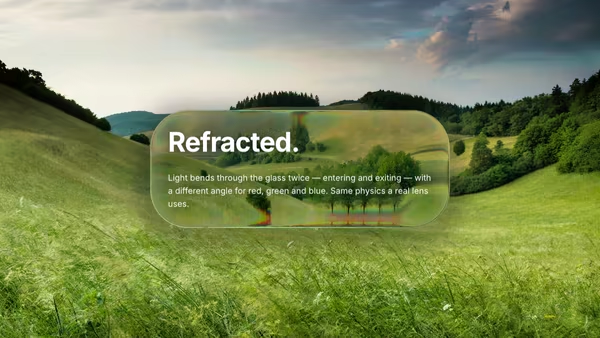
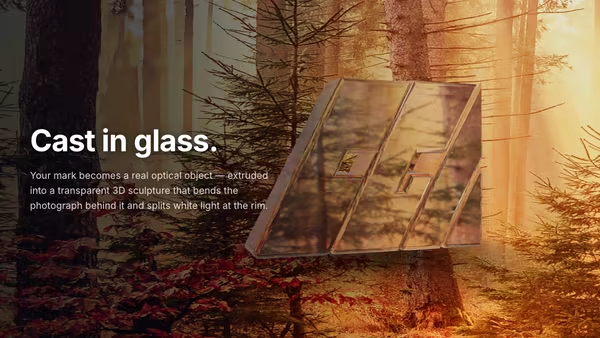
Your logo becomes a thick translucent liquid-glass badge that refracts a user-supplied photograph through its biconvex body. Per-channel IORs paint a real rainbow seam at the rim, the interior reads as frosted glass, and a 4-light Blinn-Phong studio rig sells the volume. Falls back to a rotating gradient backdrop when no image is supplied.

ReactWebGLImageInteractiveFont#glass#liquid-glass#logo#refraction#dispersion#fresnel#badge#image-input#premium#sdf

Usage

import LiquidGlassBadgeLogo from '@crazygl/hero-liquid-glass-badge-logo';

export default function Page() {
  return (
    <LiquidGlassBadgeLogo
      logo="/logo.svg"
      backgroundImage="/hero-photo.jpg"
      refraction={1.35}
      dispersion={1.1}
    />
  );
}

Customise

  • Logo — transparent SVG (preferred) or PNG; the alpha silhouette is rasterised into a distance field and sculpted into the glass. logoScale, logoCenterX/logoCenterY place it.
  • BackdropbackgroundImage (JPG/PNG/AVIF/WebP) is what refracts through the body. Leave empty for the procedural gradient + particles fallback (bgWarm/bgCool/bgDeep, bgPulse, particles), or blend with proceduralAmount.
  • Glass shapebevelDepth (thickness) and edgeSoftness.
  • Glass physicsrefraction, dispersion (rainbow-seam width), fresnel, specGloss, absorption, frost, plus tintHex and rimHex.
  • BehaviorpointerTilt parallax and idle ambientSway.

Best for

  • Premium product launches and luxury / beauty brand pages
  • Design-studio and agency sites that want their mark to feel physical
  • High-end SaaS landing pages and hero sections
01 · Install the package

One command, zero config.

npm install @crazygl/hero-liquid-glass-badge-logo
02 · Render the component

Import once, drop it in.

The component takes the same props you see in the live customizer on the right — every default ships poster-quality.

hero.tsx
import LiquidGlassBadgeLogo from '@crazygl/hero-liquid-glass-badge-logo';

export default function Landing() {
  return (
    <LiquidGlassBadgeLogo />
  );
}
03 · Use it in a page

SSR-safe by default.

The wrapper renders static HTML on the server and only initialises the canvas after hydration, so search engines see your copy.

page.tsx
// app/page.tsx — works in SSR-first frameworks (Next, Remix, Astro, etc.)
'use client';

import LiquidGlassBadgeLogo from '@crazygl/hero-liquid-glass-badge-logo';

export default function Page() {
  return (
    <section>
      <LiquidGlassBadgeLogo
        heading="Say hi."
        subheading="Your new hero."
      />
      <article>
        <h2>Welcome</h2>
        <p>Your content keeps its own voice below the hero.</p>
      </article>
    </section>
  );
}
You might also like

Similar heroes

Glass Panels

Liquid-glass panels in WebGL — half-sphere bevel, biconvex refraction (entry + exit + thickness), edge-weighted blur mix, multi-light Blinn-Phong specular, Fresnel rim, drop shadow. Drop in any background image and it gets bent through the glass.

Glass Logo Sculpture

Upload a logo (SVG / PNG / GLB) and watch it become a real 3D glass paperweight: Three.js MeshPhysicalMaterial with true volumetric transmission, per-wavelength dispersion, clearcoat, Beer-Lambert attenuation, ContactShadows, an HDRI-lit studio rig and pointer-driven parallax orbit that visibly bends the photographic background through the body.

Glass Tile Logo

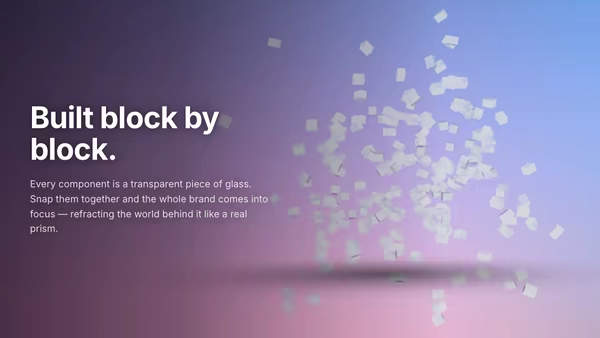
The logo is reconstructed from a grid of small glass blocks. Each tile floats apart, refracts the background through real MeshPhysicalMaterial transmission, then assembles into the silhouette on load. Hover separates the tiles slightly. Built with Three.js InstancedMesh + HDRI reflections + soft contact shadows.

Liquid Data Core

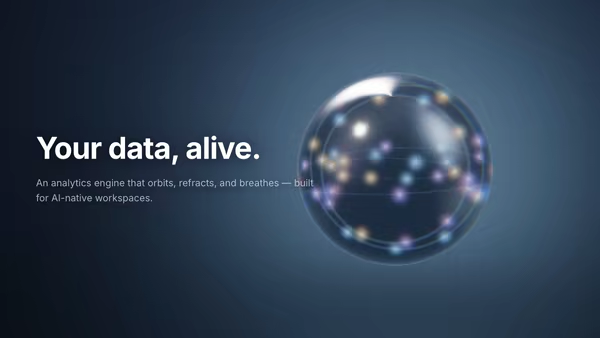
A glowing ray-marched glass sphere with refracted, dispersed inner orbits of data points — a living analytics engine that reacts to the cursor.

Ice Encased Logo

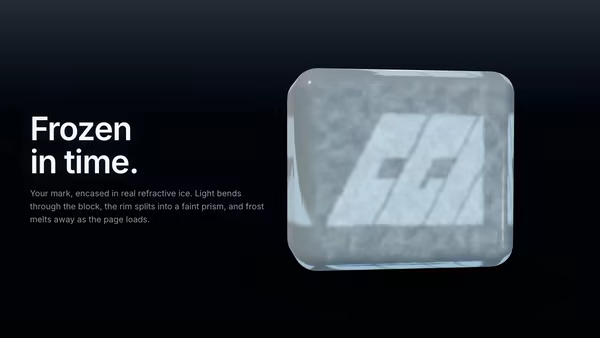
Your logo is frozen inside a chunky beveled cube of real refractive ice. Three.js MeshPhysicalMaterial with IOR 1.31, clearcoat, Beer-Lambert blue attenuation and chromatic dispersion bends the studio HDRI around the brand. Frost on the front face melts on load to reveal the logo inside a clear ice-cube body.

Glass Typography

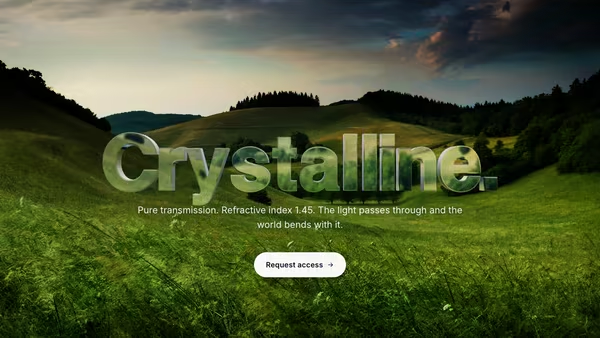
A headline cast in transparent optical glass: Three.js TextGeometry extruded into a real 3D object, rendered with MeshPhysicalMaterial (transmission, IOR, dispersion, clearcoat) so it visibly refracts the moving gradient behind it. Pointer parallax tilts the camera and CTA hover sweeps a bright edge highlight across the letters.
Live customizer

Liquid Glass Badge Logo

Logo (SVG/PNG)Transparent PNG or SVG. Alpha is rasterised into a Felzenszwalb 1D EDT distance field; the silhouette becomes the thick glass badge.Logo size0.55Fraction of the shorter canvas axis the long logo edge spans.Horizontal position0.26Shifts the badge so heading text can sit opposite. 0 = centred.Vertical position0Badge thickness1.6How thick the badge feels. Higher = chunkier liquid lozenge; lower = thin chip.Edge softness0.85pxRefraction1.35Strength of the biconvex bend through the badge — directly controls how visibly the background warps inside the glass.Chromatic dispersion1.1Per-channel IOR spread → real rainbow seam at the rim. R/G/B sample at three independently offset UVs.Fresnel rim1.35Specular gloss1.1Glass absorption0.45Beer-Lambert tint deposited into the glass body. Default 0.45 reads as 'liquid water-clear glass'.Body frost0.4How frosted the interior reads. 0 = clear paperweight (rim and body both sharp); 1 = thick milky lozenge with sharp refractive rim only.Glass tintDielectric transmission colour of the badge body. Subtle cool tint reads as crown-glass; warm tints read as amber paperweight.Rim glowFresnel rim halo colour. White reads as clear glass; tinted reads as iridescent.Background imagePhoto refracted through the glass body. JPG/PNG/AVIF/WebP — sampled with cover-fit, blurred companion drives the frosted interior. Leave empty to use the procedural gradient + particles fallback.Procedural blend0Mix in the rotating gradient + drifting particles backdrop. 0 = pure photo; 1 = pure procedural. Only relevant when an image is set.Warm gradientWarm-side colour of the procedural fallback. Only visible when no image is supplied (or Procedural blend > 0).Cool gradientCool-side colour of the procedural fallback.Deep colourDeep background behind the procedural blobs and particles.Pulse rate0.5How quickly the procedural backdrop gradient pulses + rotates.Particle density0.6Drifting glow-dot density in the procedural backdrop. 0 = none; 1.5 = busy.Pointer parallax1.1How much cursor position shifts the refraction direction.Ambient sway0.5Slow breathing tilt when the pointer is idle.Heading FontInteractivityWhich input drives the hero — try Scroll if you want the page to drive motion.
CrazyGL · crazygl.comProgrammable hero sections for real websites.