CrazyGLCrazyGLHomeExploreGitHubBrowse heroesLoading hero…← Back to gallery@crazygl/card-stack

Screenshot as a 3D Card Stack

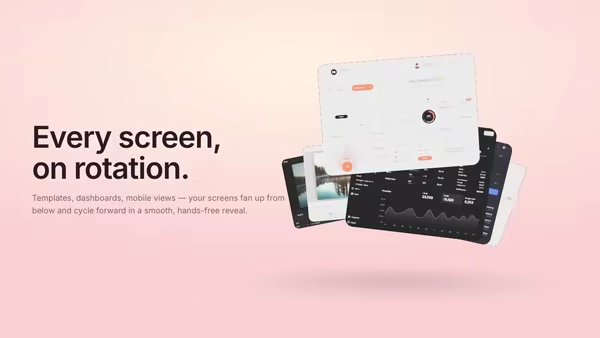
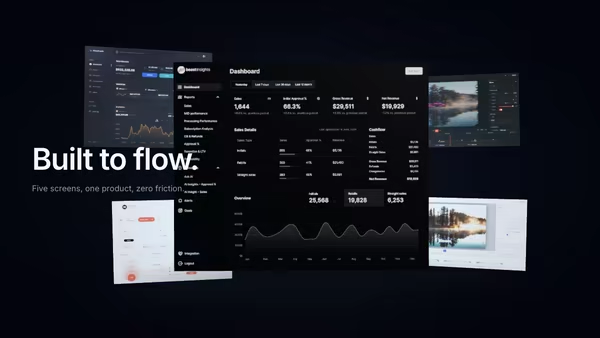
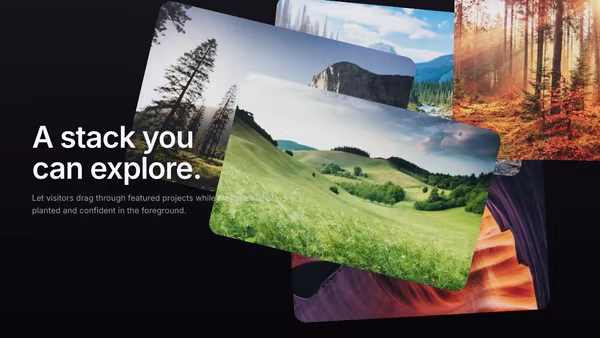
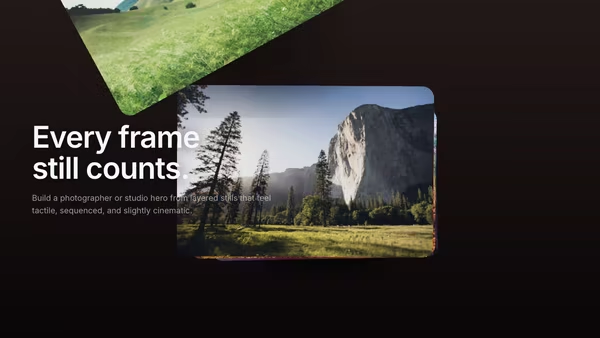
Your main product screenshot sits on top of a stack of secondary UI cards. The front card swoops up and over to the back at a configurable interval, autonomously cycling through every screen. Soft drop shadows, a cyan edge glow on the top card, cursor parallax tilt.

ReactWebGL3DImageInteractiveFont#three#3d#screenshot#stack#cards#saas#templates#dashboards#modules

Usage

import HeroCardStack from '@crazygl/hero-card-stack';

export default function Hero() {
	return (
		<HeroCardStack
			heading="One product, every module."
			subheading="Watch the deck cycle through every screen."
			screenshot1="/screens/dashboard.png"
			screenshot2="/screens/builder.png"
			screenshot3="/screens/editor.png"
			cycleInterval={3.5}
		/>
	);
}

Customise

  • Contentheading / subheading, or switch contentType to two-columns / custom for richer copy.
  • Screenshotsscreenshot1..5, one image per card. Screenshot 1 is the top (most visible) card, 5 is the bottom. Each card adopts its image's own aspect ratio.
  • StackcardCount (2–6), stackOffsetX/Y/Z, cardSize, cardCornerRadius, plus groupOffsetX/Y to position the whole deck.
  • Flip cycleflipCycle toggles the auto-cycle; cycleInterval (seconds) sets the pace.
  • MotioncursorTilt for pointer parallax, ambientFloat for a gentle continuous bob.
  • Style & lightingedgeGlowColor / edgeGlowStrength, shadowStrength, keyColor / fillColor, screenBrightness, and bgTop / bgBottom gradient.

Best for

  • SaaS landing pages with multiple modules — dashboards, app builders, template galleries.
  • Multi-product suites or design tools that want to show several screens at once.
  • Product launches where an auto-cycling reel of screenshots tells the story hands-free.
01 · Install the package

One command, zero config.

npm install @crazygl/hero-card-stack
02 · Render the component

Import once, drop it in.

The component takes the same props you see in the live customizer on the right — every default ships poster-quality.

hero.tsx
import ScreenshotAsA3DCardStack from '@crazygl/hero-card-stack';

export default function Landing() {
  return (
    <ScreenshotAsA3DCardStack />
  );
}
03 · Use it in a page

SSR-safe by default.

The wrapper renders static HTML on the server and only initialises the canvas after hydration, so search engines see your copy.

page.tsx
// app/page.tsx — works in SSR-first frameworks (Next, Remix, Astro, etc.)
'use client';

import ScreenshotAsA3DCardStack from '@crazygl/hero-card-stack';

export default function Page() {
  return (
    <section>
      <ScreenshotAsA3DCardStack
        heading="Say hi."
        subheading="Your new hero."
      />
      <article>
        <h2>Welcome</h2>
        <p>Your content keeps its own voice below the hero.</p>
      </article>
    </section>
  );
}
You might also like

Similar heroes

Draggable Portfolio Cards

Portfolio cards float behind the headline and can be dragged with momentum, making the hero feel tactile and playful.

Cinematic Contact Sheet

Multiple frames behave like a cinematic contact sheet, bending through depth and holding a warm editorial mood.

App Screenshot Fan Stack

Your product screenshots pop up from below and arrange in a soft fan — every few seconds the lead card drifts away and the next slides forward in a smooth, looping reveal.

Vertical Phone Screenshot With 3D Depth

A mobile screenshot floats inside a realistic 3D phone mockup. The phone rotates with the cursor and the screen pulses with subtle app glow. Perfect for app launch pages.

Screenshot in a Floating Metal Frame

Your product screenshot held inside a brushed-metal frame, lit like a physical product photograph. The frame sits at an adjustable static angle, tilts with the pointer for parallax, and optionally rotates to catch studio highlights.

Product UI in Zero Gravity

Five product screens drift weightlessly in a dark space. The main screen sits in focus at the front; four secondary feature screens float at varying depths behind it, with soft shadows and depth fog selling the void.
Live customizer

Screenshot as a 3D Card Stack

Screenshot 1 (top)The screenshot shown on the top card — front and centre.Screenshot 2Screenshot 3Screenshot 4Screenshot 5 (bottom)Card count5Stack offset X0.06How far each card sits to the right of the one above it (resting).Stack offset Y0.04How far each card sits below the one above it (resting).Stack offset Z0.04Spacing between cards along the depth axis. Larger = the stack is taller.Card size2.4World-units width of the cards. Larger = the stack fills more of the canvas.Group offset X0worldHorizontal position of the whole card stack. 0 = centered.Group offset Y0worldVertical position of the whole card stack. 0 = centered.Corner radius0.07relAuto-cycle cardsAutomatically cycle the front card to the back, revealing the next screen.Cycle interval3.5sSeconds between flips. The front card swoops up and around to the back of the stack.Cursor tilt0.7Strength of the pointer-driven parallax tilt. 0 = no tilt.Ambient float0.35Gentle continuous bob of the whole stack so it never reads as a static screenshot.Edge glow colorEdge glow strength0.5Card shadow strength0.55Opacity of the soft shadow each card casts on the one below.Key lightFill lightScreen brightness0.4Emissive boost on each card's screenshot. 0 = unlit, 1 = self-illuminated.Background topBackground bottomHeading fontInteractivityWhich input drives the hero — try Scroll if you want the page to drive motion.
CrazyGL · crazygl.comProgrammable hero sections for real websites.