CrazyGLCrazyGLHomeExploreGitHubBrowse heroesLoading hero…← Back to gallery@crazygl/text-pressure

Text Pressure

A heading rendered in the Compressa variable font that warps each letter's weight, width, italic, and alpha axes based on cursor proximity. Push your cursor toward a letter and it expands; pull away and it contracts.

ReactInteractive#variable-font#compressa#typography#interactive#headline#pressure

Usage

import TextPressure from '@crazygl/hero-text-pressure';

export default function Hero() {
  return (
    <TextPressure
      heading="Compressa"
      pressureRadius={600}
      smoothing={0.18}
    />
  );
}

The display face is the Roboto Flex variable font, loaded from Google Fonts on first render (a frame of the fallback system stack may show before it takes over).

Customise

  • Contentheading (short words read best), subheading, ctaLabel, onCTAClick (URL string or function).
  • AxesuseWidth, useWeight, useItalic, useAlpha — independently toggle each warped axis.
  • PressurepressureRadius (cursor reach), smoothing (elastic ↔ snappy).
  • TypographytextAlign, fontSize, letterSpacing.
  • ColourstextColor, useStroke + strokeColor (outline instead of fill).
  • BackdroptransparentBackground, bgColor.

Best for

  • Type-foundry sites and fonts-for-sale showcases.
  • Design-system landing pages and agency / portfolio covers.
  • Typographic case-study headers where the font itself is the story.
01 · Install the package

One command, zero config.

npm install @crazygl/hero-text-pressure
02 · Render the component

Import once, drop it in.

The component takes the same props you see in the live customizer on the right — every default ships poster-quality.

hero.tsx
import TextPressure from '@crazygl/hero-text-pressure';

export default function Landing() {
  return (
    <TextPressure />
  );
}
03 · Use it in a page

SSR-safe by default.

The wrapper renders static HTML on the server and only initialises the canvas after hydration, so search engines see your copy.

page.tsx
// app/page.tsx — works in SSR-first frameworks (Next, Remix, Astro, etc.)
'use client';

import TextPressure from '@crazygl/hero-text-pressure';

export default function Page() {
  return (
    <section>
      <TextPressure
        heading="Say hi."
        subheading="Your new hero."
      />
      <article>
        <h2>Welcome</h2>
        <p>Your content keeps its own voice below the hero.</p>
      </article>
    </section>
  );
}

You might also like

Similar heroes

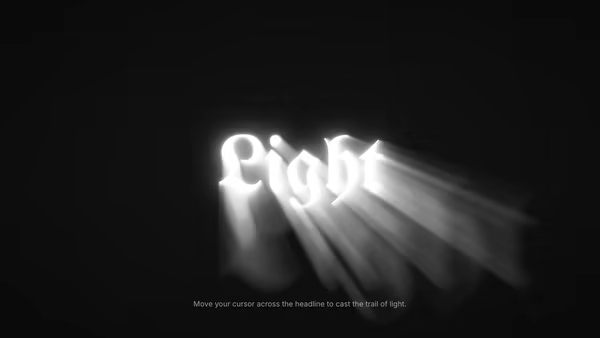
Text Glow Hover

A heading with a stack of layered, blurred shadow copies that fan out in the direction of the cursor — like a tracer of light pouring out of the wordmark. On hover-end the stack relaxes back to a resting diagonal trail.

Text Reveal Lens

A cursor-driven lens that reveals the bright real colour of a heading from underneath a dim default. Five lens shapes — circle, rectangle, diamond, wave, star — with an optional gradient fill on the revealed text.

Blend Text

A heading with CSS mix-blend-mode applied so it changes appearance against whatever sits behind it — picks the inverse colour of the backdrop pixel, like ink on a poster.

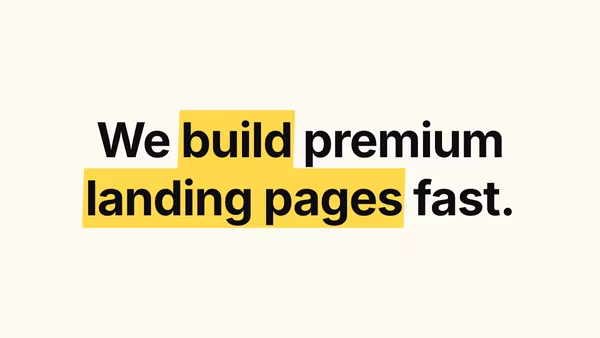
Highlight Text

A heading with marker-highlighter strokes drawn behind specific words — like a printed page someone marked up. Words wrapped in *asterisks* get highlighted with the accent colour.

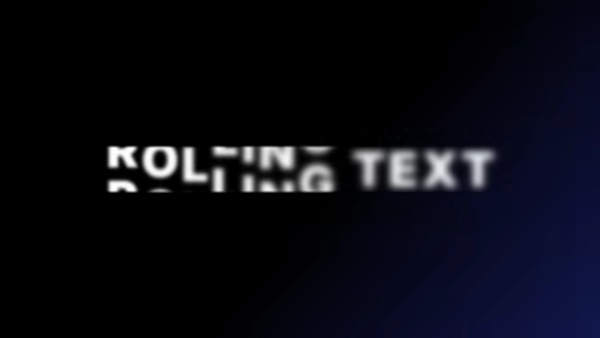
Rolling Text

Each character rolls through a vertical stack of duplicate copies of itself in a continuous loop, with a blur pulse mid-roll and a per-character stagger.

Text Cycler

A wordmark that cycles between several words or phrases, each one entering with a character-, word-, or line-staggered fade — pick the stagger order from first / last / center / random.
Live customizer

Text Pressure

Animate widthPressure expands the letter horizontally via the wdth axis.Animate weightPressure boldens the letter via the wght axis.Animate italicPressure leans the letter via the ital axis.Animate alphaDistant letters fade — useful for atmospheric, single-word headings.Pressure radius600pxHow far the cursor's influence reaches. Larger = the whole wordmark reacts even at the edges.Smoothing0.18How quickly letters chase the target value. Low values = elastic; high values = snappy.AlignmentHeading alignment.Font size220pxWordmark font size at rest.Letter spacing-0.02emTracking.Text colourWordmark fill colour.Use strokeRender the wordmark as a stroke outline instead of a fill.Transparent backgroundSkip the deepest backdrop.Background colourCanvas backdrop colour.InteractivityWhich input drives the hero — try Scroll if you want the page to drive motion.
CrazyGL · crazygl.comProgrammable hero sections for real websites.