CrazyGLCrazyGLHomeExploreGitHubBrowse heroesLoading hero…← Back to gallery@crazygl/blend-text

Blend Text

A heading with CSS mix-blend-mode applied so it changes appearance against whatever sits behind it — picks the inverse colour of the backdrop pixel, like ink on a poster.

ReactImageFont#blend-mode#typography#headline

Usage

import BlendText from '@crazygl/hero-blend-text';

export default function Hero() {
  return (
    <BlendText
      heading={"Inverse\nblend."}
      subheading="Pick a blend mode; pick a photo."
      blendMode="difference"
      backdropImage="/photos/cover.jpg"
      textColor="#ff3d7f"
    />
  );
}

Customise

  • Contentheading, subheading.
  • BlendblendMode (difference, exclusion, overlay, multiply, screen, hard-light).
  • BackdropbackdropImage and a backdropColor tint multiplied into the image.
  • TypographytextColor, fontSize, letterSpacing, headingFontFamily, headingFontWeight.

Best for

  • Editorial / magazine-style landing pages over a full-bleed photo.
  • Portfolios and art direction where the headline must read on any image.
  • Product launches wanting a striking, poster-like cover.
01 · Install the package

One command, zero config.

npm install @crazygl/hero-blend-text
02 · Render the component

Import once, drop it in.

The component takes the same props you see in the live customizer on the right — every default ships poster-quality.

hero.tsx
import BlendText from '@crazygl/hero-blend-text';

export default function Landing() {
  return (
    <BlendText />
  );
}
03 · Use it in a page

SSR-safe by default.

The wrapper renders static HTML on the server and only initialises the canvas after hydration, so search engines see your copy.

page.tsx
// app/page.tsx — works in SSR-first frameworks (Next, Remix, Astro, etc.)
'use client';

import BlendText from '@crazygl/hero-blend-text';

export default function Page() {
  return (
    <section>
      <BlendText
        heading="Say hi."
        subheading="Your new hero."
      />
      <article>
        <h2>Welcome</h2>
        <p>Your content keeps its own voice below the hero.</p>
      </article>
    </section>
  );
}
You might also like

Similar heroes

Highlight Text

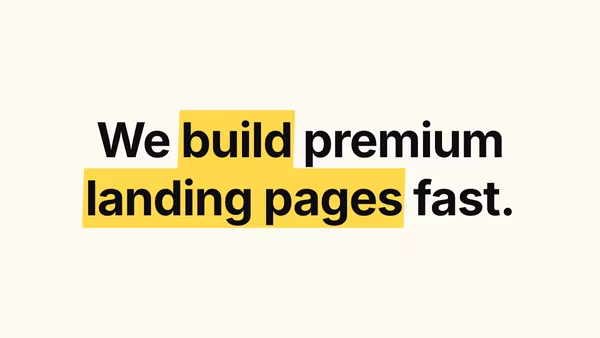
A heading with marker-highlighter strokes drawn behind specific words — like a printed page someone marked up. Words wrapped in *asterisks* get highlighted with the accent colour.

Image Masked Text

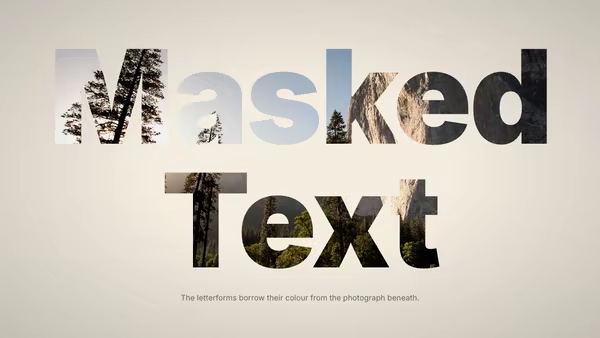
A heading whose letterforms are filled with a photograph. Uses native CSS background-clip:text so the wordmark stays selectable and crisp at any zoom, with cover, contain, or custom-percent fit modes.

Text Video Mask

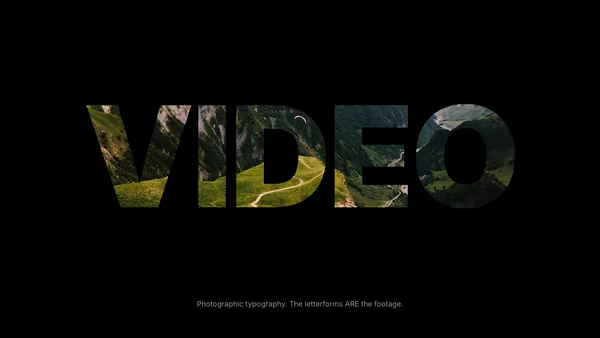
A wordmark rendered as a window into a looping video (or a still photograph), with the rest of the canvas filled by a solid backdrop colour. The text IS the visible footage.

Rotating Headline

A static two-line headline with one slot that rotates through a list of words — the prefix and suffix stay put, the rotating word cycles.

Rolling Text

Each character rolls through a vertical stack of duplicate copies of itself in a continuous loop, with a blur pulse mid-roll and a per-character stagger.

Text Cycler

A wordmark that cycles between several words or phrases, each one entering with a character-, word-, or line-staggered fade — pick the stagger order from first / last / center / random.
Live customizer

Blend Text

Blend modeBackdrop imageBackdrop tintTint colour multiplied into the backdrop image. White (the default) leaves the image untouched; any other colour shifts it.Text colourHeading colour BEFORE the blend mode is applied. Pure white reads as 'no effect' for multiply / screen / hard-light because those modes collapse to white or to the backdrop. Pick a saturated colour so the blend produces a visible tint.Font size180pxLetter spacing-0.03emFontWeight900
CrazyGL · crazygl.comProgrammable hero sections for real websites.