CrazyGLCrazyGLHomeExploreGitHubBrowse heroesLoading hero…← Back to gallery@crazygl/logo-edge-glow

Logo Edge Glow

Upload an SVG or transparent PNG logo and light it with a neon inner glow — a bright, radial-gradient rim clipped to the silhouette that fades to a dark core, and intensifies toward your cursor as it approaches.

ReactWebGLImageInteractiveFont#logo#brand#glow#edge#neon#gradient#webgl#interactive#premium#pointer

Usage

import LogoEdgeGlow from '@crazygl/hero-logo-edge-glow';

export default function Page() {
  return (
    <LogoEdgeGlow
      logo="https://crazygl.com/samples/crazygl.svg"
      colorInner="#ff7a2f"
      colorMid="#ff2d9b"
      colorOuter="#7b3cff"
    />
  );
}

Customise

  • Logologo (transparent SVG/PNG; alpha is the silhouette mask) and logoScale.
  • GlowglowDepth (how far the rim reaches inward; 0.03–0.06 reads as crisp neon), glowIntensity, edgeBoost, outerGlow, ambient (resting glow), bodyDarkness (1 = black core).
  • GradientcolorInner/colorMid/colorOuter, gradientShift (focal position), gradientRadius.
  • PointerpointerStrength, pointerRadius (hotspot size).
  • BackdropbackgroundColor, transparentBackground.

Best for

  • Brand and logo landing pages where the mark is the hero
  • Premium SaaS and AI product launch pages
  • Music, nightlife, and creative-studio sites wanting a neon edge
  • Dark, moody splash screens and coming-soon pages
01 · Install the package

One command, zero config.

npm install @crazygl/hero-logo-edge-glow
02 · Render the component

Import once, drop it in.

The component takes the same props you see in the live customizer on the right — every default ships poster-quality.

hero.tsx
import LogoEdgeGlow from '@crazygl/hero-logo-edge-glow';

export default function Landing() {
  return (
    <LogoEdgeGlow />
  );
}
03 · Use it in a page

SSR-safe by default.

The wrapper renders static HTML on the server and only initialises the canvas after hydration, so search engines see your copy.

page.tsx
// app/page.tsx — works in SSR-first frameworks (Next, Remix, Astro, etc.)
'use client';

import LogoEdgeGlow from '@crazygl/hero-logo-edge-glow';

export default function Page() {
  return (
    <section>
      <LogoEdgeGlow
        heading="Say hi."
        subheading="Your new hero."
      />
      <article>
        <h2>Welcome</h2>
        <p>Your content keeps its own voice below the hero.</p>
      </article>
    </section>
  );
}

You might also like

Similar heroes

Thermal Logo

Your logo rendered as a live thermal-camera image — a flowing heat field clipped to the silhouette and mapped through a cold-to-white-hot gradient, with the cursor leaving a glowing heat trail that slowly cools.

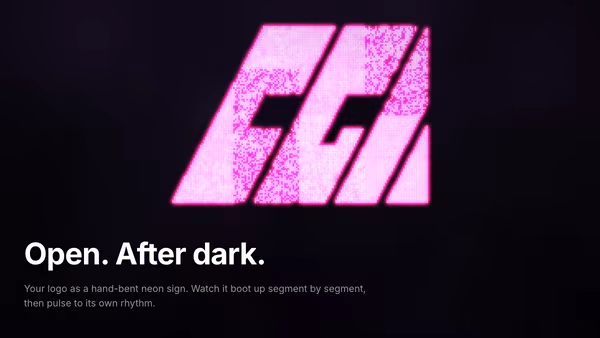
Floating Neon Logo Sign

The logo becomes a 3D neon tube sign floating in a dark cinematic scene. Segments flicker on during boot, then settle into a gentle pulse. Smoke drifts behind; hovering brightens the tubes.

Magnetic Logo Field

An image-driven particle field. Drop in a logo and the particles drift around then snap into its silhouette in waves. Cursor magnetically pulls or repels the swarm. Sample by alpha, luminosity, or transparency.

Logo Sand Formation

Thousands of glowing sand grains drift on a warm desert current and re-form the supplied logo. Pointer movement scatters them in a Gaussian shockwave; springs and damping pull each grain back into the silhouette.

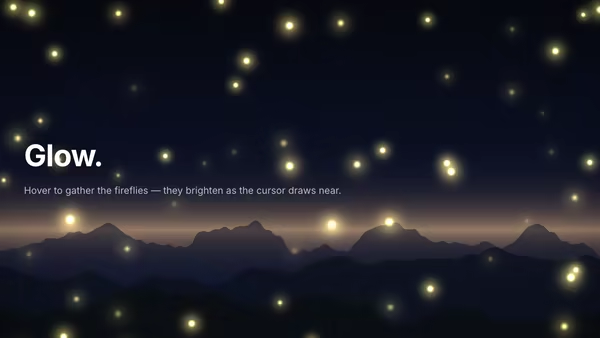
Fireflies

Glowing fireflies drift over a stylised mountain horizon. The cursor attracts the swarm and makes them flare bright.

Particle Slider

A cinematic auto-playing slider built on one shared particle engine. Each slide picks a visualization — magnetic sphere, spiral galaxy, liquid wave field, vortex portal, image-to-particle, particle text, neural cloud, cube lattice, orbital rings, terrain — and the thousands of particles MORPH from one formation into the next instead of resetting. The field reacts to the pointer (repel / attract / magnetic). Per-slide heading, subheading, CTA, text transition and layout. Dark, premium, developer-grade.
Live customizer

Logo Edge Glow

LogoTransparent SVG or PNG. The alpha channel is the silhouette mask, so a solid filled logo gives the cleanest dark-core rim.Logo size0.92Fraction of the short side used by the logo. Leave room for the outer bloom.Glow depth0.06How far the glow reaches inward from the edge. Low keeps a tight, dark-cored neon rim; high fills the shape. 0.03–0.06 reads as a crisp neon outline.Glow intensity3Overall brightness of the inner glow.Edge sharpness0.65Brightness of the crisp line right on the silhouette edge, on top of the soft glow.Outer bleed0.24Soft neon spill outside the silhouette. 0 keeps the glow strictly inside.Resting glow0.28Base glow level when the cursor is away from the logo.Core darkness1How dark the interior stays. 1 = black core; lower fills the body with the gradient.Core colorMid colorOuter colorGradient position-0.35Vertical position of the gradient focal point. Negative pushes the core color toward the bottom of the logo.Gradient spread1.45How far the gradient spreads from the focal point before reaching the outer color.Pointer light1.5How strongly the cursor intensifies the glow on the side of the logo it approaches from.Pointer radius0.22Size of the bright hotspot under the cursor, as a fraction of the logo.BackgroundTransparent backgroundInteractivityWhich input drives the hero — try Scroll if you want the page to drive motion.
CrazyGL · crazygl.comProgrammable hero sections for real websites.