CrazyGLCrazyGLHomeExploreGitHubBrowse heroesLoading hero…← Back to gallery@crazygl/depth-wave-field

Depth Wave Field

A perspective grid of small glowing dots forms an undulating 3D wave terrain that recedes into the distance and fades to black — the look of a topographic depth-sensing point cloud. Smooth traveling waves ripple through the field; crests glow electric violet, troughs and far rows sink into deep indigo. The pointer pushes a ripple toward the cursor.

ReactWebGL3DInteractiveFont#3d#point-cloud#depth#waves#terrain#purple#particles#technical#three#premium

Usage

import DepthWaveField from '@crazygl/hero-depth-wave-field';

export default function Landing() {
  return (
    <DepthWaveField
      heading="Powerful 3D depth sensing."
      cameraTilt={38}
      pointerRipple={0.6}
    />
  );
}

Customise

  • GridgridResolution (points per side), gridSize (world extent), pointSize.
  • WaveswaveHeight, waveSpeed, waveScale (wavelength).
  • ColorcrestColor, troughColor, backgroundColor.
  • CameracameraTilt (framing), fogDensity (depth fade).
  • InteractionpointerRipple (cursor bulge strength).
  • Backdroptransparent to composite over your own page.

Best for

  • 3D-sensing / LiDAR / spatial-computing products
  • AI and data-infrastructure landing pages
  • Hardware launches and instrument-like technical brands
  • Any premium hero that wants a precise depth-scan backdrop
01 · Install the package

One command, zero config.

npm install @crazygl/hero-depth-wave-field
02 · Render the component

Import once, drop it in.

The component takes the same props you see in the live customizer on the right — every default ships poster-quality.

hero.tsx
import DepthWaveField from '@crazygl/hero-depth-wave-field';

export default function Landing() {
  return (
    <DepthWaveField />
  );
}
03 · Use it in a page

SSR-safe by default.

The wrapper renders static HTML on the server and only initialises the canvas after hydration, so search engines see your copy.

page.tsx
// app/page.tsx — works in SSR-first frameworks (Next, Remix, Astro, etc.)
'use client';

import DepthWaveField from '@crazygl/hero-depth-wave-field';

export default function Page() {
  return (
    <section>
      <DepthWaveField
        heading="Say hi."
        subheading="Your new hero."
      />
      <article>
        <h2>Welcome</h2>
        <p>Your content keeps its own voice below the hero.</p>
      </article>
    </section>
  );
}

You might also like

Similar heroes

Data Rain 3D

Characters, digits and small symbols fall through a real 3D perspective volume. Near glyphs are large and bright, far ones shrink and dissolve into depth fog. Move the cursor and the falling stream curves around it, like rain hitting an invisible umbrella.

Particle Typography

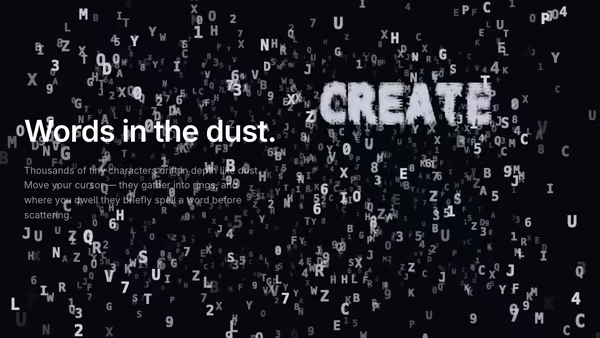
A dusty 3D volume of tiny floating characters — abstract micro-typography drifting in depth. The pointer pulls characters into rings and streams, and where the cursor dwells the dust briefly organises itself into a real word before scattering back into the haze.

Light Cloth Mesh

A glowing silk sheet woven from neon threads filling the frame and waving in 3D. Drag the pointer across the silk and it leaves a natural rippling wake — each touch sends an expanding wavefront, and the faster you sweep the stronger the ripples. Cyan-to-magenta threads glow on near-black.

Soft Volumetric Particle Fog

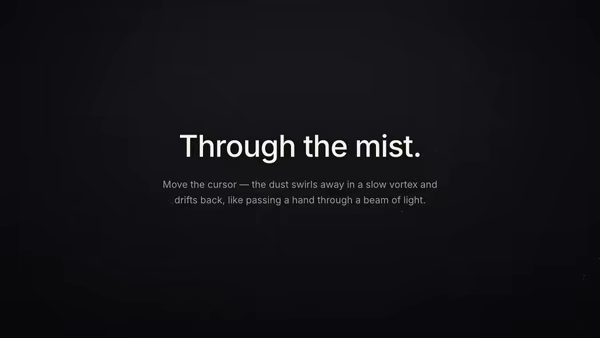
Thousands of tiny semi-transparent dust motes drift in depth inside a soft beam of light. Curl-noise keeps them floating naturally; depth fog reads volumetric; the pointer stirs a slow vortex that swirls particles away and leaves a fading wake, like moving a hand through mist.

Vertical Phone Screenshot With 3D Depth

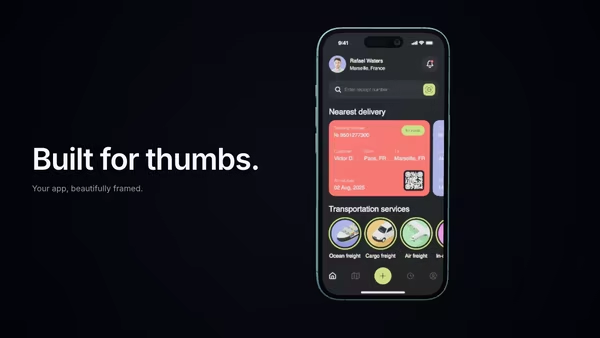
A mobile screenshot floats inside a realistic 3D phone mockup. The phone rotates with the cursor and the screen pulses with subtle app glow. Perfect for app launch pages.

Magnetic Logo Field

An image-driven particle field. Drop in a logo and the particles drift around then snap into its silhouette in waves. Cursor magnetically pulls or repels the swarm. Sample by alpha, luminosity, or transparency.
Live customizer

Depth Wave Field

Grid resolution120Points per side. 120 reads as a dense depth cloud; below 60 the dots feel sparse, above 180 they merge into a sheet.Grid size36worldWorld extent of the grid. Larger spreads the dots and lets the field recede further into the distance.Dot size1.8Base radius of each glowing dot before perspective shrinks the far ones. Around 1.8 gives crisp crest highlights without blobbing.Wave height2.2worldVertical amplitude of the terrain. 0 flattens to a plane; 2.2 gives rolling crests and deep troughs. Above 4 the front rows start to clip the camera.Wave speed1How fast the waves travel through the field. 0 freezes the terrain; 1 is a calm ocean-swell pace.Wave scale1Wavelength of the dominant swell. Lower = long, broad rollers; higher = tight, choppy ripples.Crest colourBright violet that lights the wave crests. The highest, nearest points glow this colour.Trough colourDeep indigo for the troughs and the distant rows before they fade to black.Background colourThe void the field dissolves into. Pure black sells the depth-sensing look; a deep blue-violet softens it.Camera tilt38°How far the camera looks down across the grid. Low tilt skims along the surface (long horizon); high tilt looks down at the terrain from above.Depth fade1How fast far points fade to black. 0 keeps the whole grid visible to the horizon; 2 dissolves it close to the camera for a tight, moody field.Pointer ripple0.6How strongly the cursor lifts a ripple in the field beneath it. 0 ignores the pointer; 2 sends a pronounced bulge chasing the cursor.Transparent backgroundDrop the black backdrop so the point cloud composites over your own page background.InteractivityWhich input drives the hero — try Scroll if you want the page to drive motion.
CrazyGL · crazygl.comProgrammable hero sections for real websites.